


HaloXR II
Scene capture for law enforcement, on iPhone.
Prototype

Overview
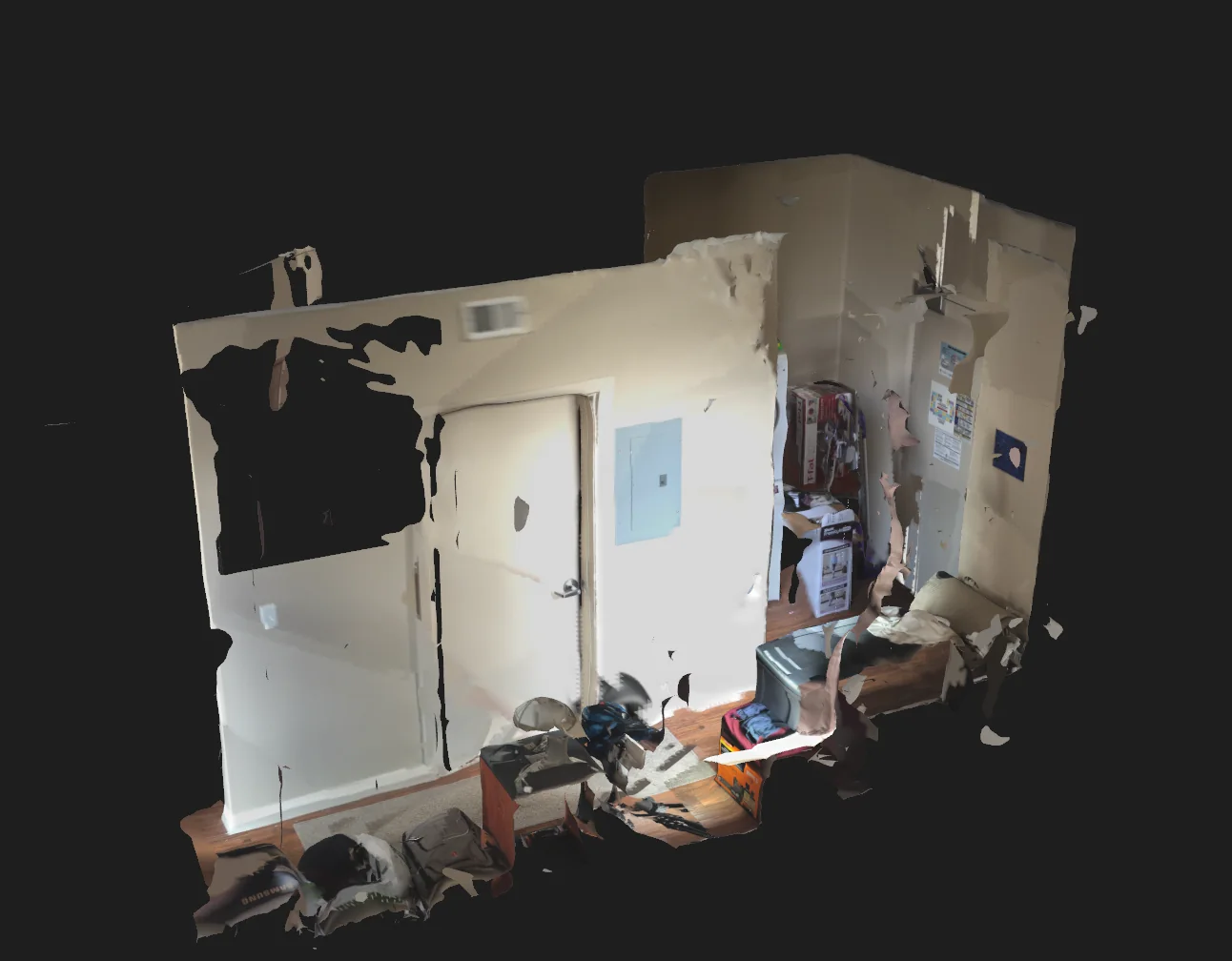
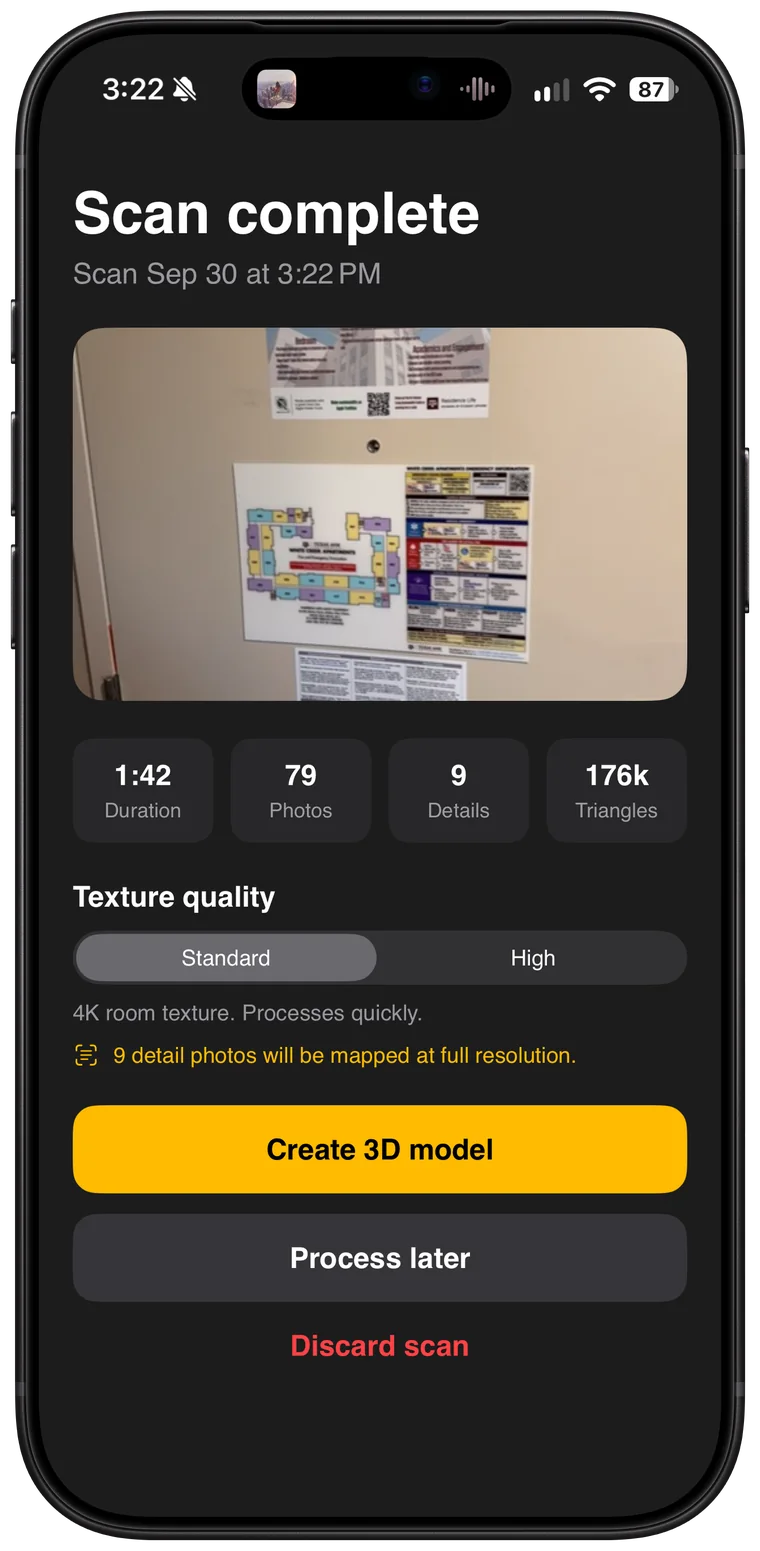
HaloXR II turns an iPhone into a scene capture system. Officers record a crime or collision scene as a measured, photo-textured 3D model in minutes, and every scan is processed on the iPhone itself, or at full resolution on a computer inside the department.
Each scan becomes a complete evidence package: one offline file with the 3D scene, photos, a CR-3 base plate and a signature from the device. It opens in any browser on a department computer, with nothing to install.
It is designed around the FBI’s Criminal Justice Information Services (CJIS) Security Policy, which sets strict rules for anyone who handles criminal justice information. Because scans are processed on the iPhone or on a computer inside the department, that information is never readable on Deoxy Labs systems: the relay that moves scans and packages between devices holds only encrypted data, and deletes it once delivery is confirmed.
- Processing
- On the iPhone, or at full resolution on a department PC
- Engine
- Triaxis Depth Engine
- Integrity
- SHA-256 hash, signed with a key in the Secure Enclave
- Exports
- Evidence viewer, court packet, CR-3 base plate, OBJ and USDZ
- Mesh resolution
- 2 cm or finer
- Requires
- iPhone with LiDAR
- Pilots
- Free for 90 days for pilot departments, then an annual licence per user
- Project lead
- John McAllister
Capture
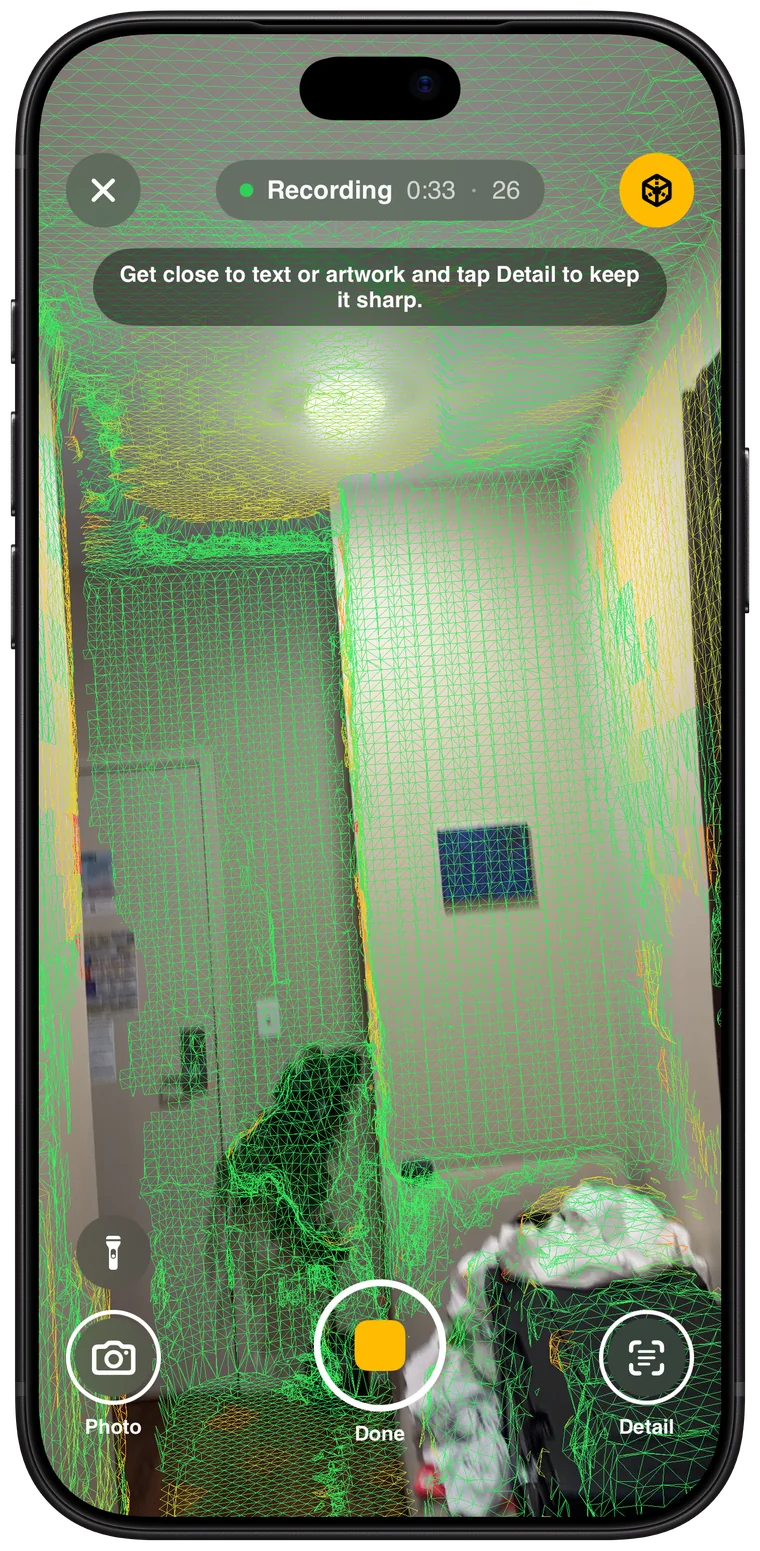
Sweep slowly across the walls, floor and ceiling, and the mesh is coloured live to show what is covered and how well. Get close to text or artwork and tap Detail to keep it sharp: detail capture records a gauge cluster or small print at five times the resolution. Photos and points of interest are kept at full resolution.
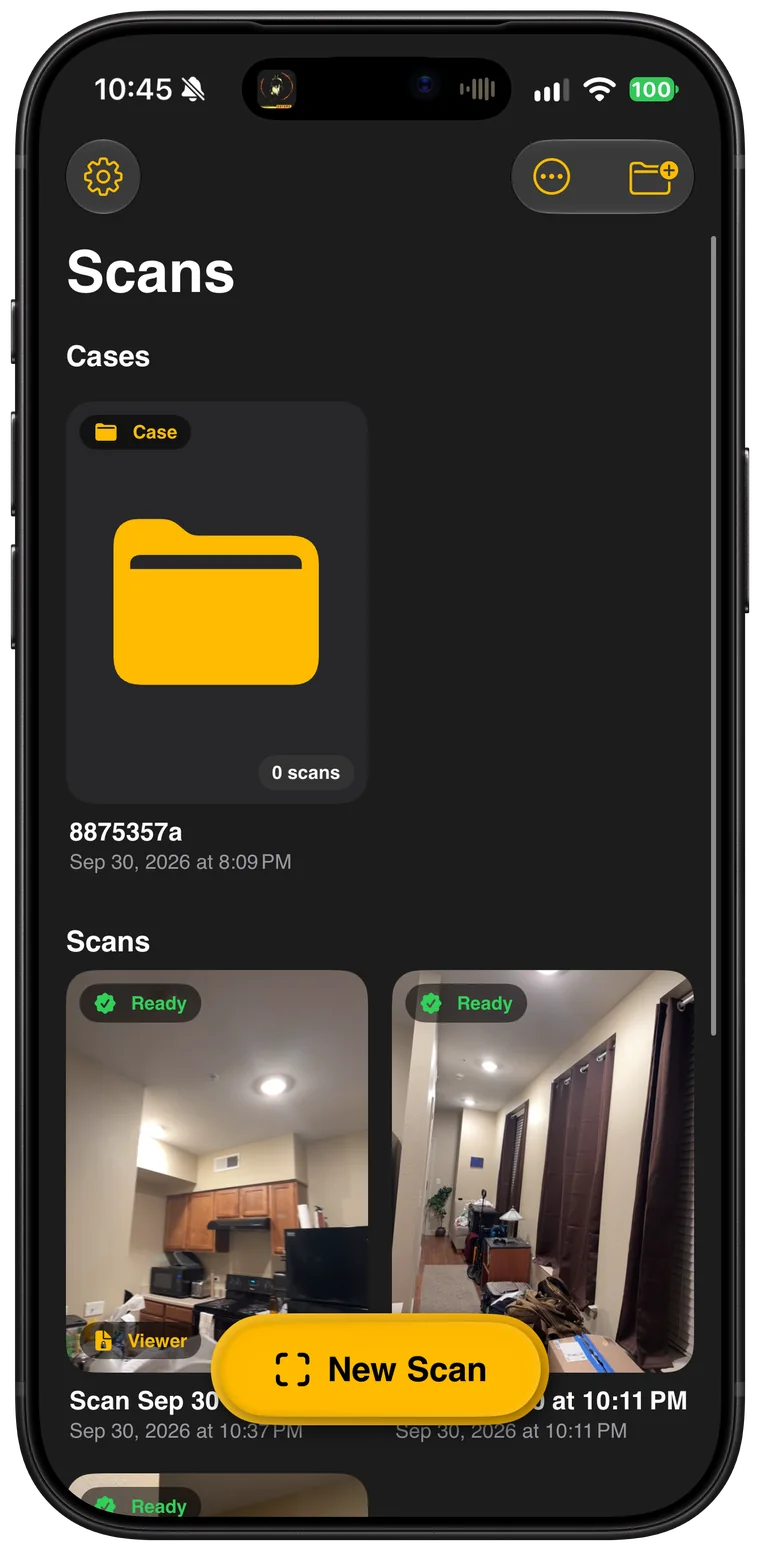
The reconstruction engine resolves surfaces to 2 cm or finer. Scans are filed by case: drag them into folders, select several at once, or drag a package straight out to Files or OneDrive. Deleted scans wait in Recently Deleted before they are removed for good.
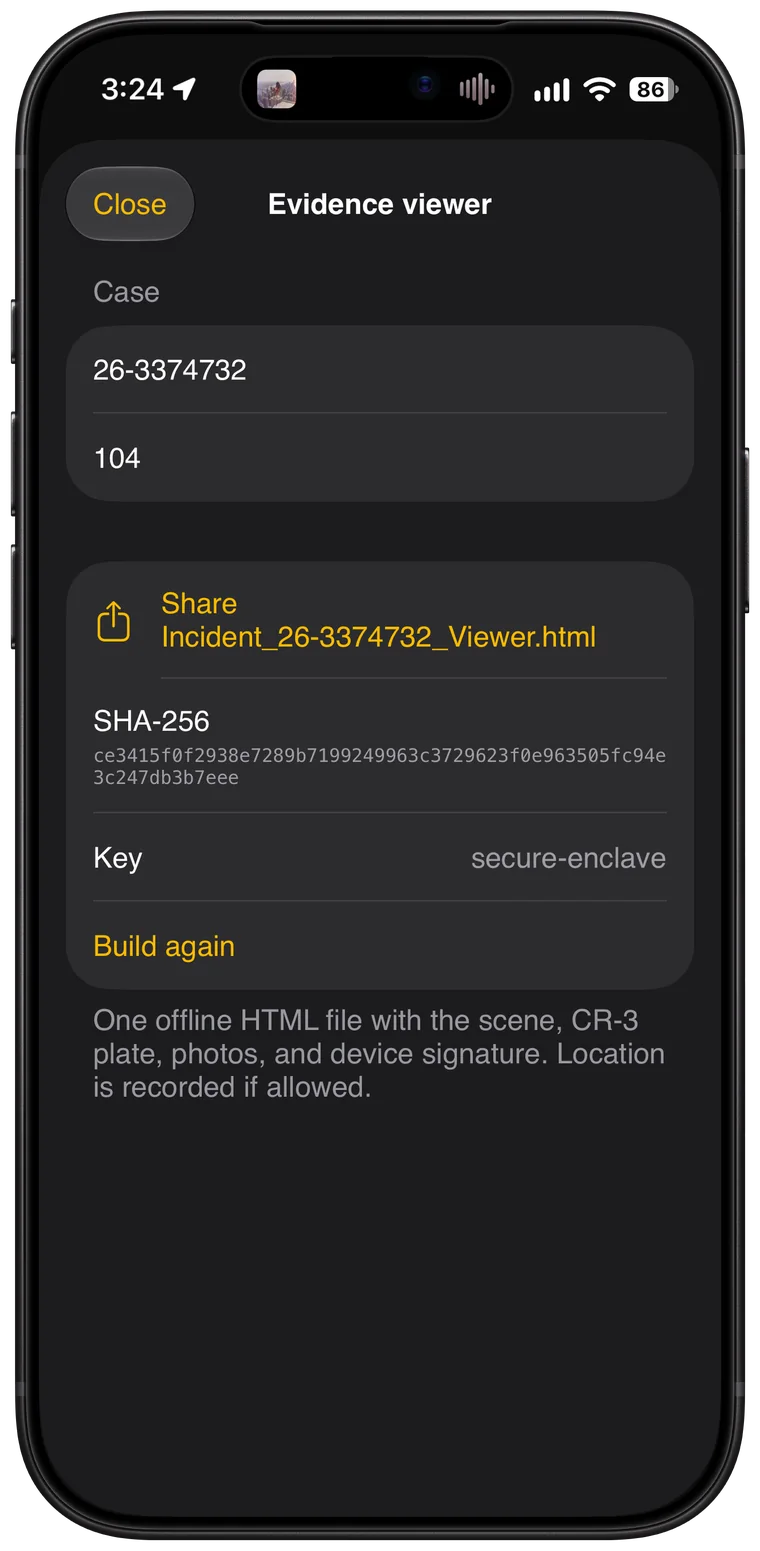
Send to Computer
Evidence packages are large, and department networks are strict. Send to Computer moves a package from the iPhone to a computer over any network, with nothing to install on either side.
- Open the page. On the computer, open the HaloXR transfer page in Edge or Chrome. It shows a six-digit code.
- Pair. Enter the code on the iPhone, then confirm that the words on both screens match. A wrong match stops the transfer.
- Send. The package is encrypted on the iPhone and decrypted only in that browser. The server in between never sees its contents, and both sides show the same checksum as a receipt.
HaloXR II Viewer
The viewer runs locally in a browser, and nothing leaves the computer. Notes, distances and points of interest attach to the 3D model itself rather than the screen. Walk mode places the officer in the scene at street level, moving with the W, A, S and D keys, which makes a large scene easy to navigate and mark up. Snapshots and alignment to true north are built in.
Redaction works two ways: in 2D on the texture, to black out a list of personal details, and in 3D on the scanned geometry, to obscure a body or a sensitive object permanently. Edits are saved as a separate, unsigned file, so the original package keeps its Secure Enclave signature and can always be verified as captured. When the work is done, export a court packet with the original and the edited model, or a CR-3 base plate to trace in Texas Department of Transportation CR-3 software.
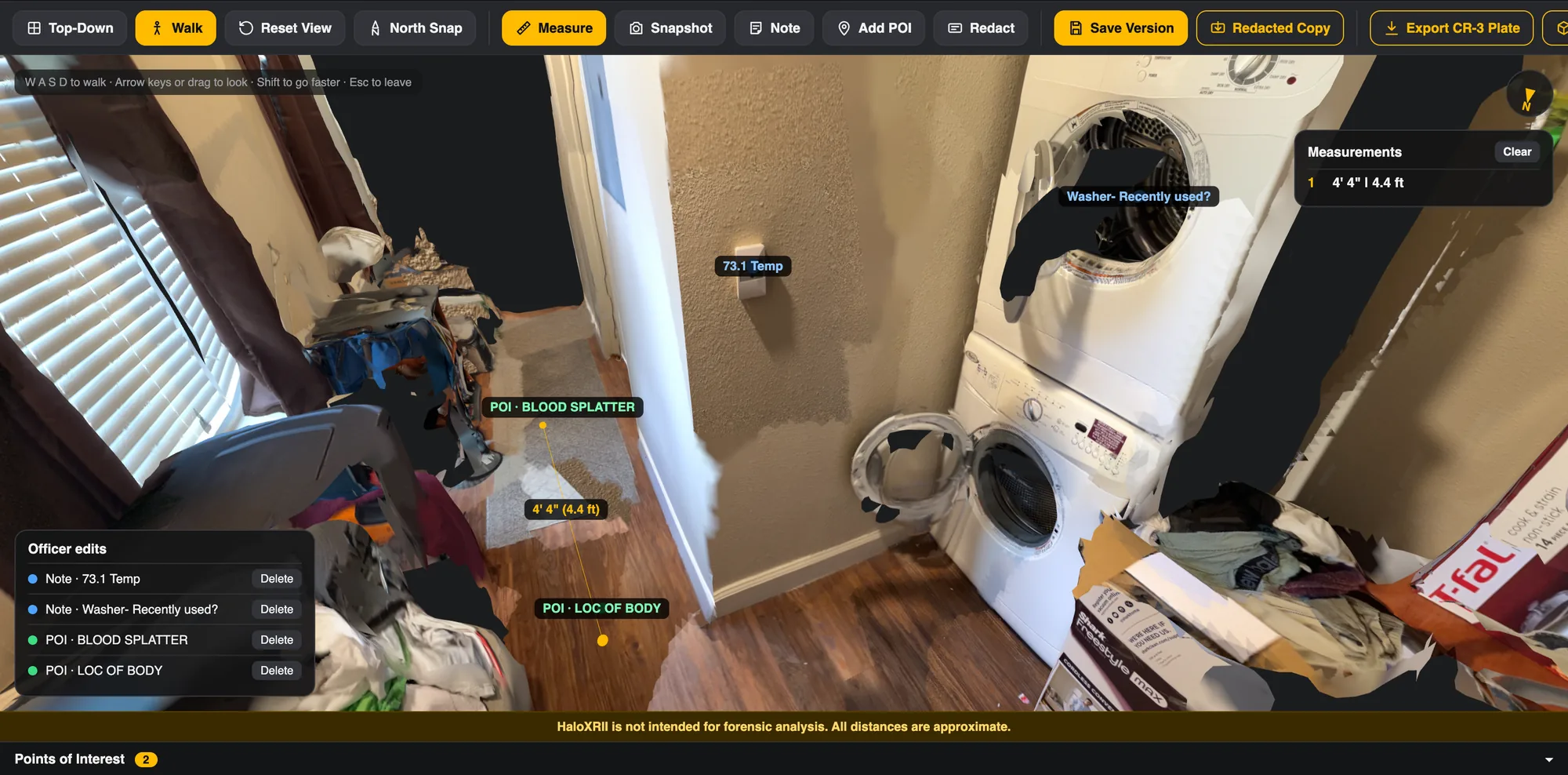
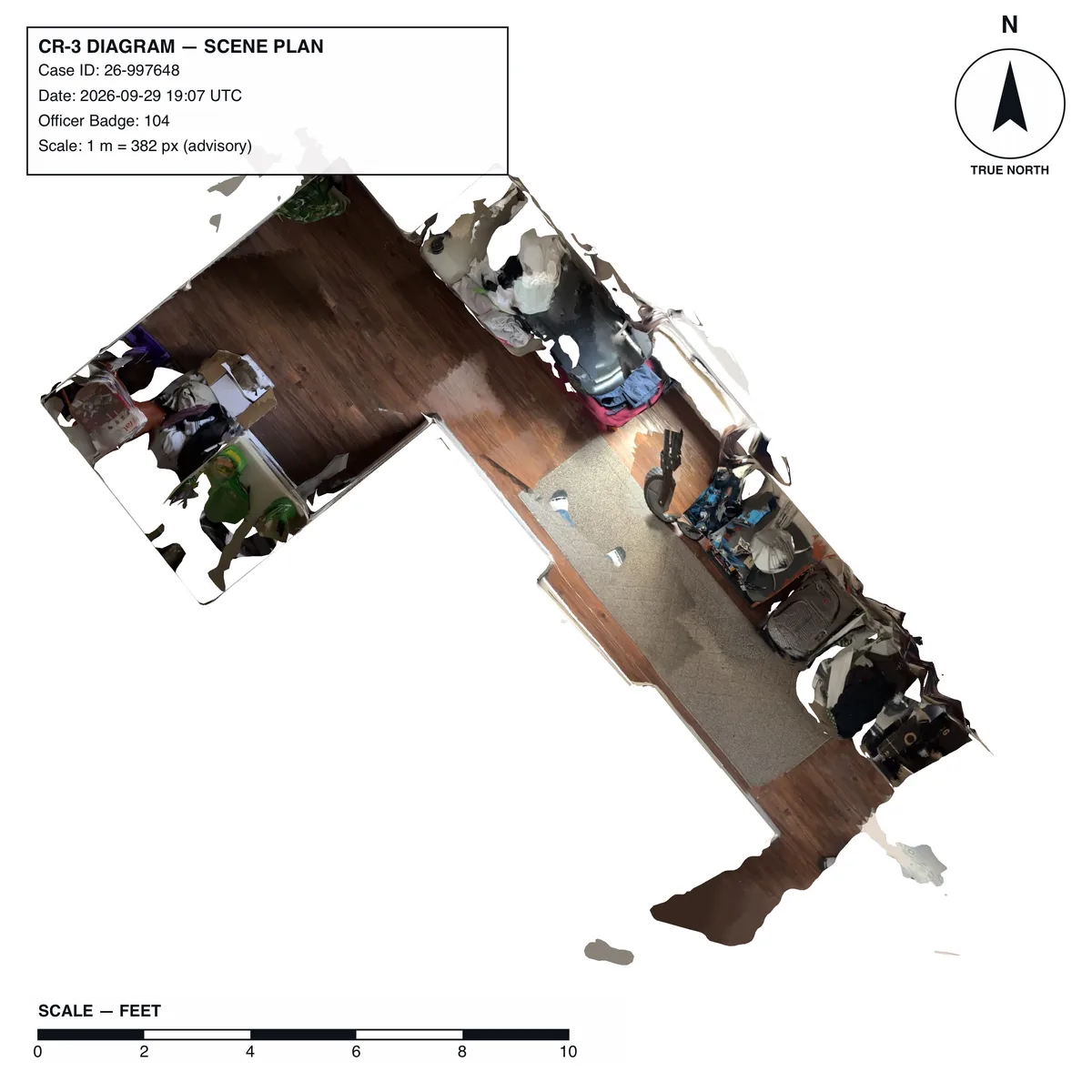
HaloXR II is not intended for forensic analysis. All distances are approximate.
Triaxis Depth Engine
The engine that turns a LiDAR scan into a measured 3D model.
In development

Overview
Triaxis is the 3D reconstruction engine inside HaloXR II. It turns a walk-through LiDAR scan from an iPhone into a textured, measurable 3D model: on the iPhone in under a minute, or at full resolution on a computer inside the department.
It is built for crash and crime scene documentation, where a model has to be complete, accurate and provably unaltered. The geometry core is written in portable C and compiles identically for iOS, macOS, Windows and Linux, so both paths build the model the same way.
- On the iPhone
- 30 to 60 seconds, with a 4096 × 4096 texture
- On a department PC
- 1 to 3 minutes, at full photo resolution, with an 8192 × 8192 texture
- Exports
- USDZ, OBJ and GLB, with the texture embedded
- Requires
- iPhone 12 Pro or later, with LiDAR
- Used in
- HaloXR II
- Project lead
- John McAllister
Capture
While the officer walks the scene, ARKit fuses the LiDAR readings into a mesh in real time and labels every face as wall, floor, ceiling, table, seat, window or door. Triaxis copies each piece of that mesh as it arrives, and keeps the scan consistent as ARKit refines it.
Photos are taken automatically, up to four a second, and only when they are worth keeping: the camera has moved at least 10 cm or turned 8 degrees, the picture is sharp, and it shows at least 40 parts of the surface better than any photo so far. Each photo carries the camera’s position, lens and exposure. A coverage grid of 12 cm cells tracks the best view of every part of the scene and drives the overlay the officer sees, green where the surface is covered and amber where it needs another pass.
RapidClean
Raw LiDAR meshes have seams, holes, stray fragments and stair-step noise. RapidClean fixes all of it in seven steps, in under half a second on an iPhone 18 Pro for a typical room of 80,000 triangles.
- Weld. Joins the edges of neighbouring mesh pieces within 12 mm. Only open edges move, so the surface never folds.
- Remove degenerates. Drops triangles with no area and exact duplicates.
- Remove fragments. Drops floating specks smaller than 0.02 m² that don’t touch the main surface, without losing thin walls.
- Trim the fringe. Removes the saw-tooth edge every scan leaves at its boundary.
- Fill holes. Closes LiDAR dropouts in walls, floors and furniture, up to 1.5 m around, and checks each one first so a real doorway or window is never capped.
- Smooth. Removes LiDAR noise without shrinking the mesh, while the crease between a wall and the floor stays sharp.
- Simplify. Reduces the mesh to about 80,000 triangles, keeping corners and edges.
Texture
The photos are then painted onto the model. On the iPhone this runs entirely on the GPU, in Metal.
- UnwrappingThe surface is laid flat into a texture, with walls, floors and ceilings as separate pieces. Unwrapping uses the open-source xatlas library.
- Choosing photosEvery triangle scores every photo on angle, distance and sharpness, and keeps its best twelve. Views through windows count for less.
- Nothing in the wayEach candidate photo is checked against a depth render from its camera, so a wall is never painted with a photo taken from the other side of a table.
- Even patchesNeighbouring triangles prefer the same photo, so the texture is made of large, consistent patches rather than a scatter of single triangles.
- Matched exposurePhotos of the same surface are balanced against each other, over up to 60,000 shared triangles, so differences in exposure and white balance disappear before they are blended.
- Clean edgesSeams between pieces are feathered, and colour is spread into the gaps between them so nothing dark bleeds in when the model is viewed from far away.
Full resolution
When there is time, the scan can be rebuilt at full quality on a Windows PC inside the department. It travels there encrypted through the HaloXfer relay, is decrypted only in that computer’s memory, and comes back the same way. The department’s computer has none of the iPhone’s limits on memory or time, and blends seams by solving for the colour across each one, so differences between photos leave no visible line at all.
| Setting | iPhone | Department PC |
|---|---|---|
| Time | 30 to 60 seconds | 1 to 3 minutes |
| Photos | 3072 pixels on the long edge | Full resolution, 4032 pixels |
| Texture | 4096 × 4096 | 8192 × 8192 |
| Smoothing | 4 passes | 8 passes |
| Photo choice | 4 passes | 12 passes |
| Exposure matching | 30 passes | 100 passes |
| Seams | Feathered | Blended, with no visible line |
Evidence chain
Scan data is criminal justice information under the FBI CJIS Security Policy, and Triaxis handles it that way from the first frame to the finished package.
- Encrypted at restScans are stored with iOS Data Protection Complete, unreadable while the iPhone is locked, and are kept out of iCloud and device backups.
- Signed at the sourceA key in the iPhone’s Secure Enclave signs a manifest of SHA-256 hashes, binding the model to the device that captured it. Departments record each device’s key when it is set up.
- Encrypted in transitEach transfer agrees its own AES-256-GCM key. The relay holds only ciphertext, deletes it once delivery is confirmed, and never sees keys, file names or case numbers. A short number on both screens rules out anyone in the middle.
- Processed on premisesFull-resolution processing runs inside the agency’s own CJIS perimeter, and its logs record times and sizes, never file names or case content.
- Chain of custodyEvery photo, depth frame and derived file is logged in an append-only chain, each entry’s hash linked to the one before. The start and seal of every scan record the officer’s badge number, the device, the software versions, the location and the time.
- Offline viewerThe finished package is a single HTML file that makes no network requests at all, enforced by its Content Security Policy.
HaloXR II and Triaxis are not intended for forensic analysis. All distances are approximate. ARKit and Metal are trademarks of Apple Inc.
Blackjack
Debug an iPhone from a Mac, through its Lightning port.
Prototype
Overview
Blackjack plugs into an iPhone or iPad through its Lightning port and gives a Mac direct access to the chip inside. Halt and step the processor, read and write memory, follow the serial console and move the device between recovery and DFU, all from one USB-C cable. It is an alternative to Kanzi and Koba, the debug probes Apple uses internally.
It works with the debugging tools you already use. To the Mac, Blackjack is a standard debug probe, so existing scripts and workflows carry over unchanged.
- Alternative to
- Apple’s Kanzi and Koba probes
- Debugging
- SWD access to the application processor
- Console
- The device’s serial console, live
- Device USB
- Passed through, including recovery and DFU
- Power
- Switched and measured by Blackjack
How it works
- Opens the port. Lightning keeps its debug lines closed until an accessory asks for them. Blackjack performs that handshake itself, the same way Kanzi and Koba do.
- Reaches the chip. With the port open, Blackjack drives the processor’s SWD debug interface directly over the Lightning pins.
- Stays connected. The device’s own USB runs through Blackjack, so when it restarts into recovery or DFU, the session carries on.
Specifications
- Connector to Mac
- USB-C
- Connector to device
- Lightning, via 10-pin cable
- Controller
- RP2350
- Board
- 55 × 24 mm, 8 layers
- Part number
- 810-26830-01
- Circuit and software
- Ky Young
- Enclosure
- John McAllister
GTA V on Apple Silicon
A Windows game engine, running natively on the Mac and iPhone.
Research
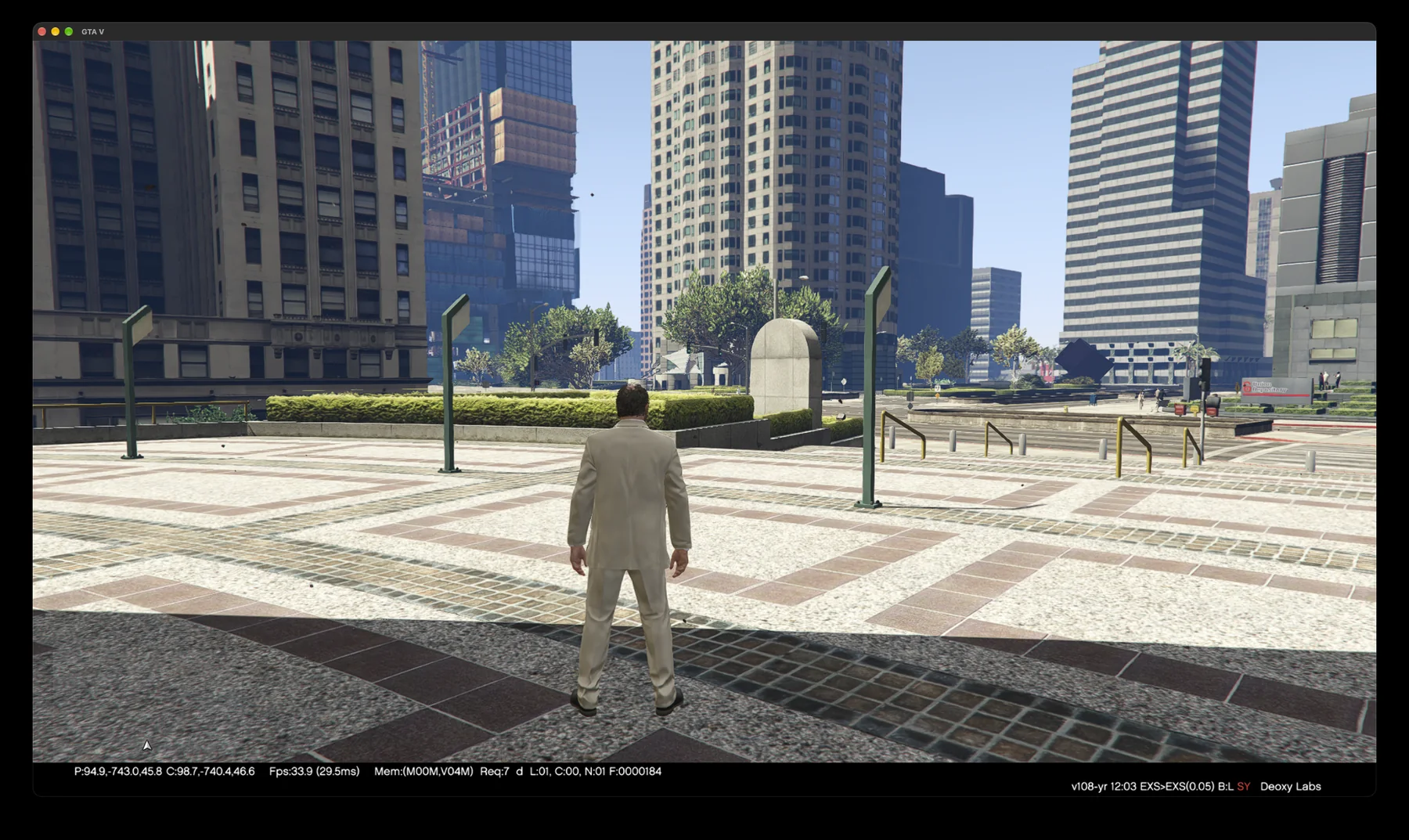
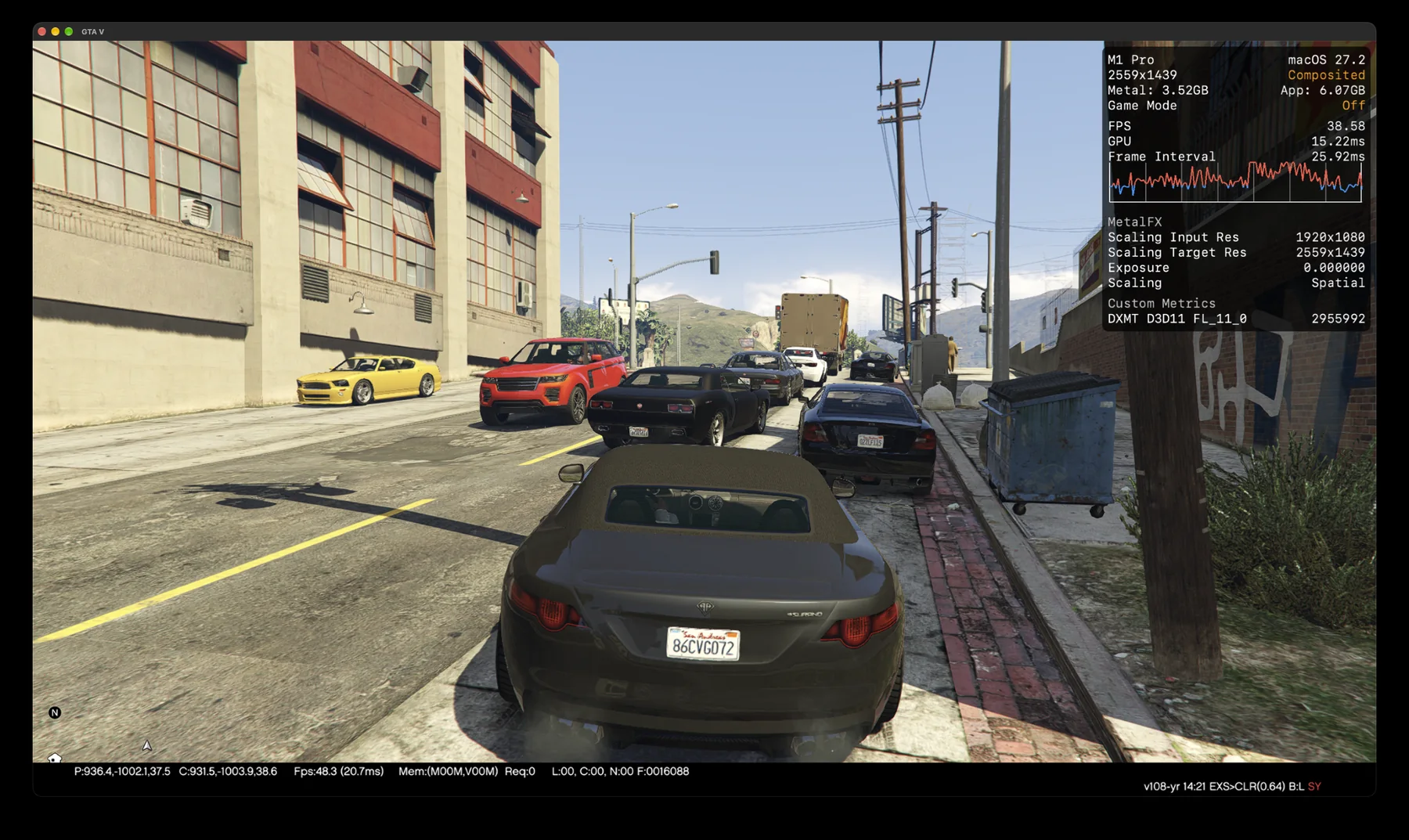
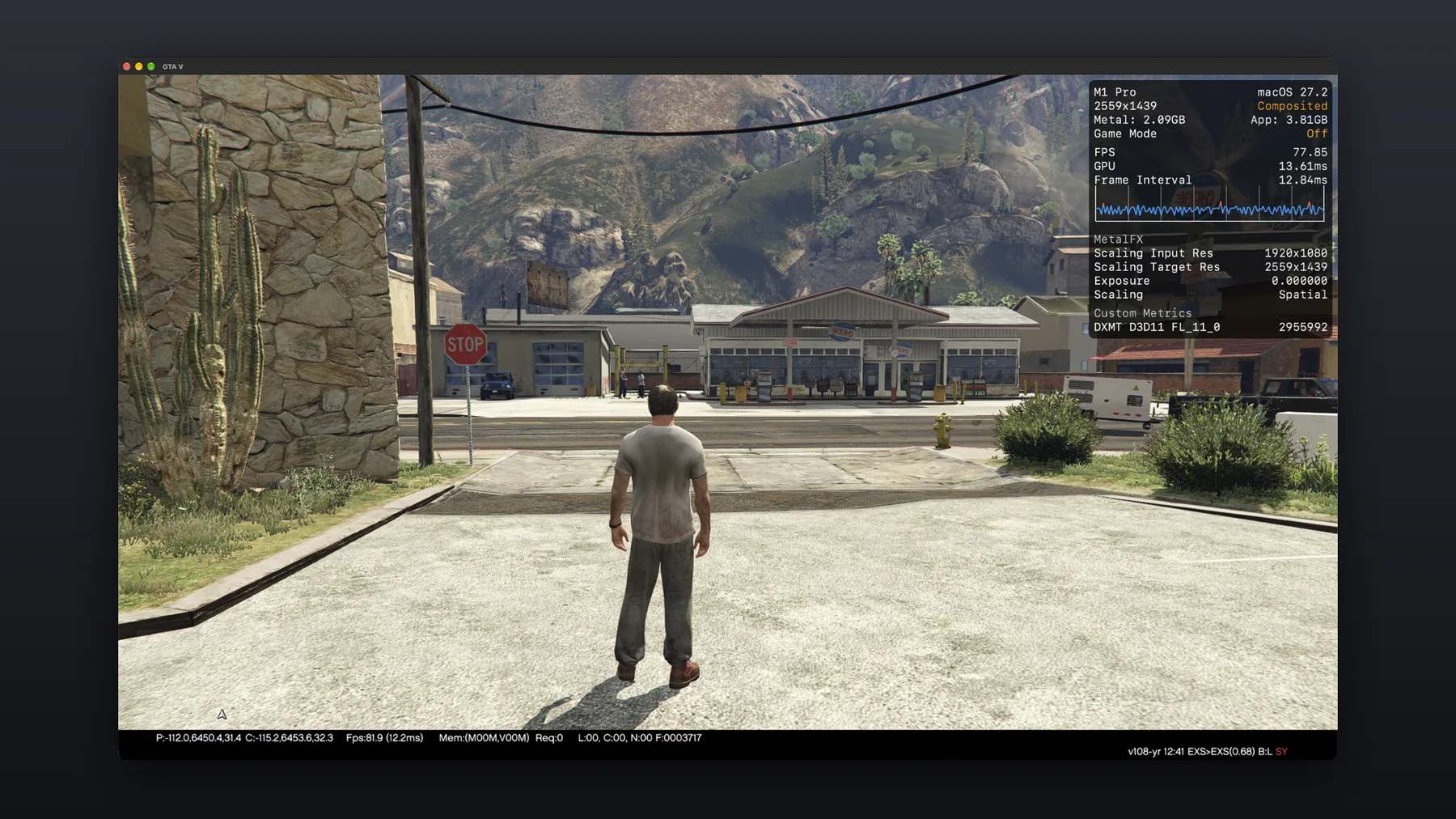
This project studies how a large Windows game engine can run natively on Apple silicon, without Wine, Rosetta or a virtual machine. The engine is compiled for ARM64. A native implementation of the Windows interfaces it needs takes the place of Windows itself, and DXMT translates its Direct3D 11 rendering to Metal.
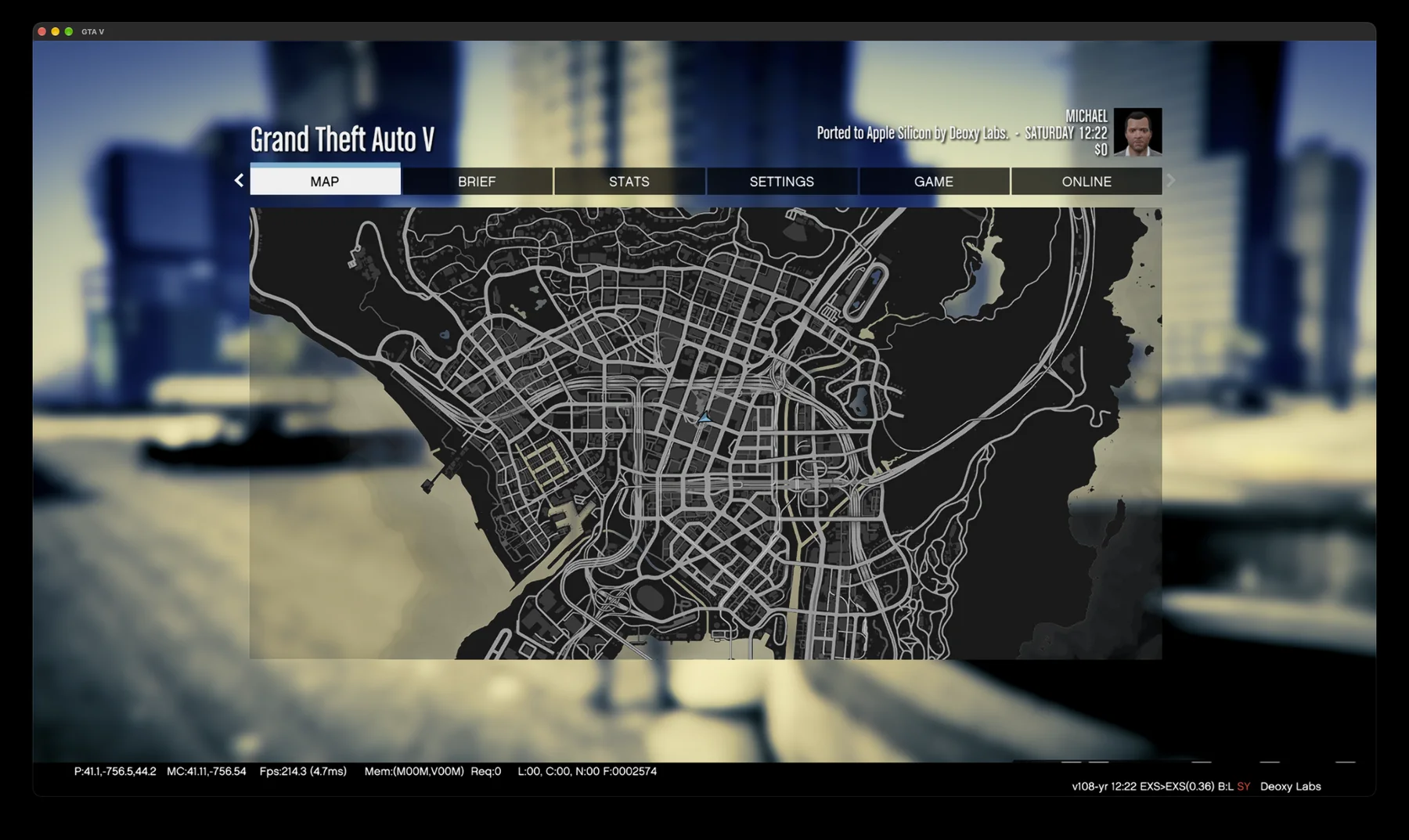
The game now runs natively on a MacBook Pro and on an iPhone 17 Pro Max, built from the same source, with every frame rendered through Metal.
How it runs
- Compiled for ARM64. The game and its engine are built as a native Apple silicon app, so no instruction is translated at run time.
- A native Win32 layer. Windows, files, threads, timers and input are implemented directly on macOS and iOS. The game draws into a native view on each.
- Direct3D 11 on Metal. The renderer is left as it is. DXMT turns each Direct3D 11 call into Metal, on the GPU built into the chip.
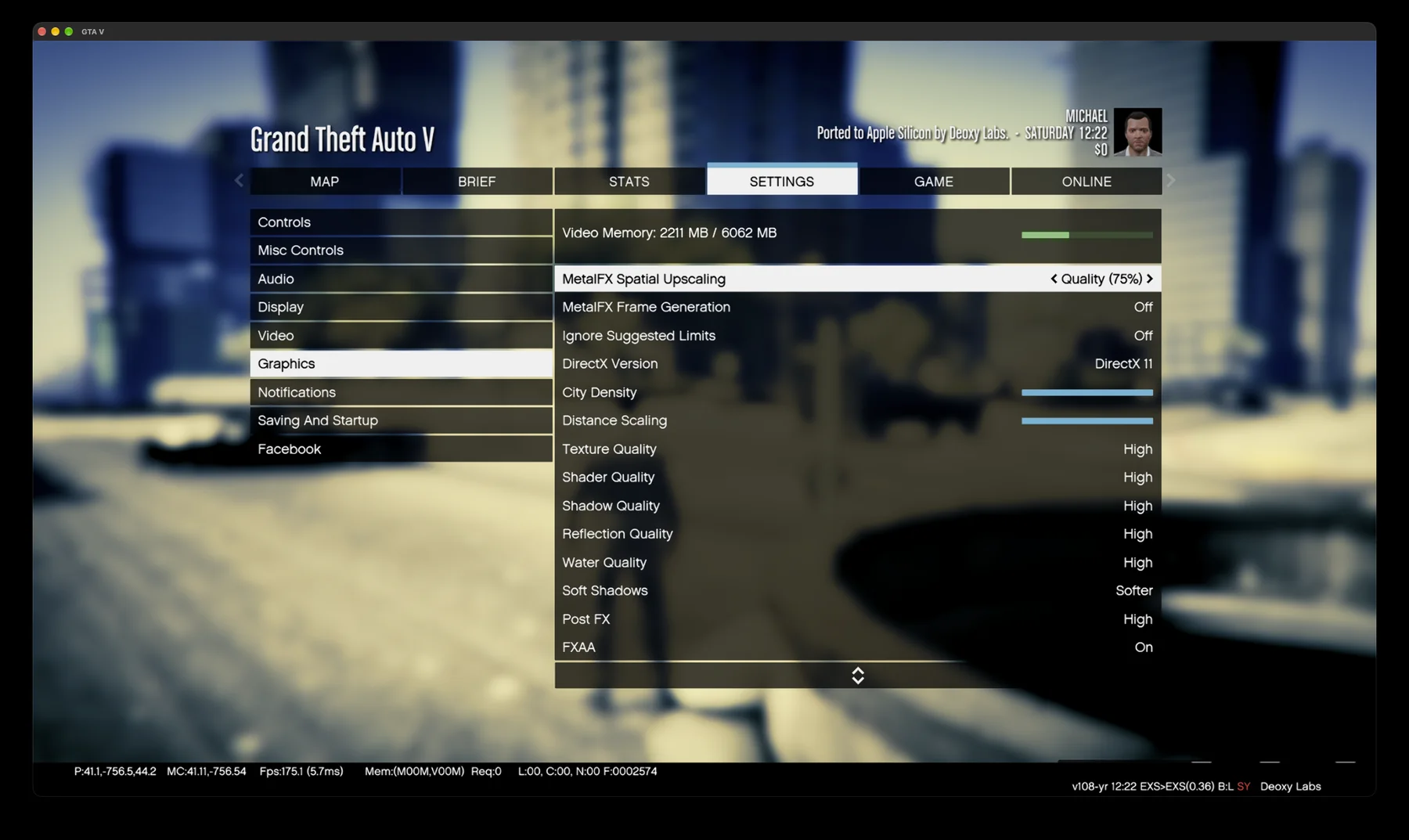
- Upscaling and frame generation. Our own upscaler draws fewer pixels and scales them up, and our own frame generation shows a new frame between every two the game renders.
On the Mac
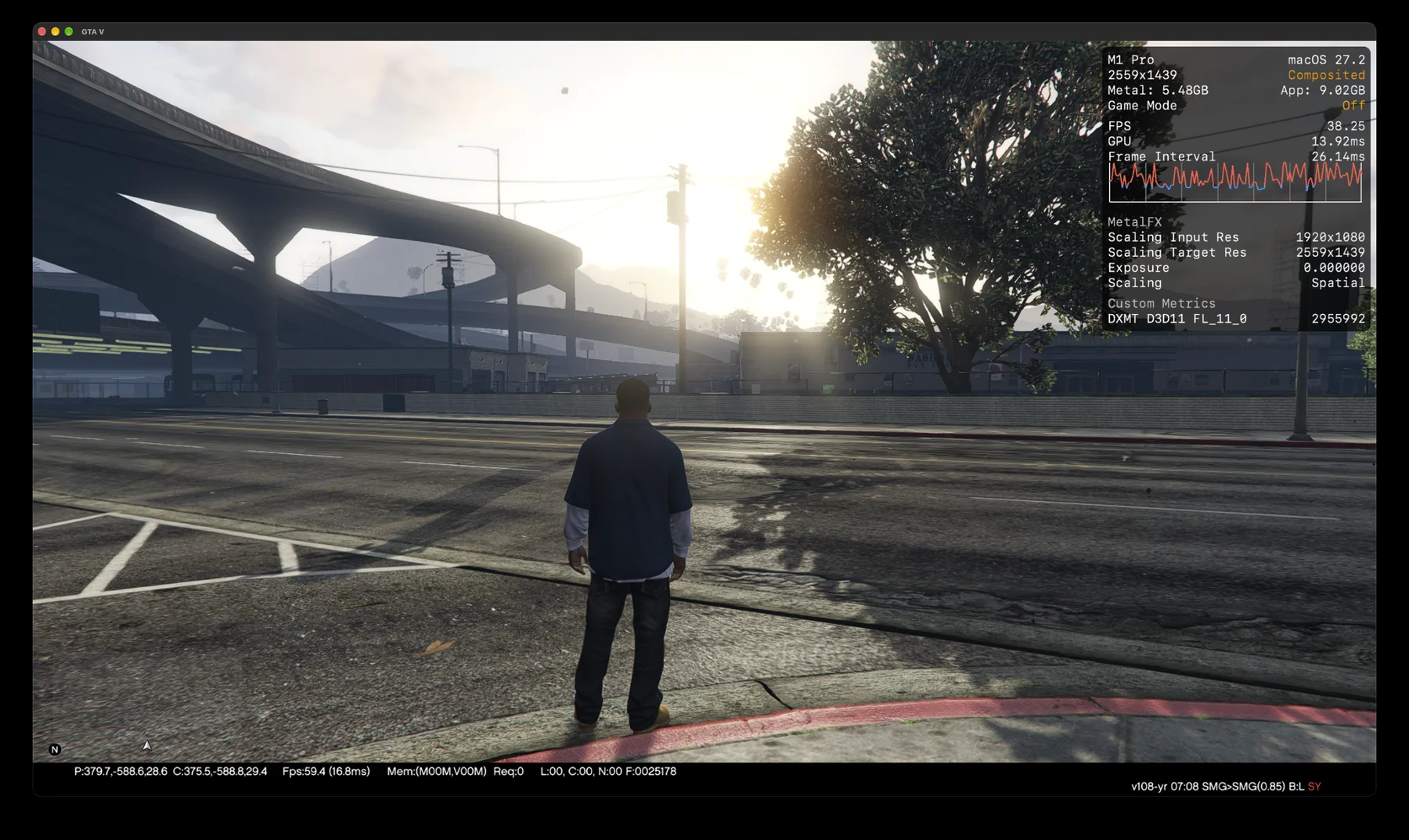
Captured on a MacBook Pro with M1 Pro, running natively. The Metal performance HUD, where shown, reports the frame rate and the MetalFX upscaling.
On iPhone
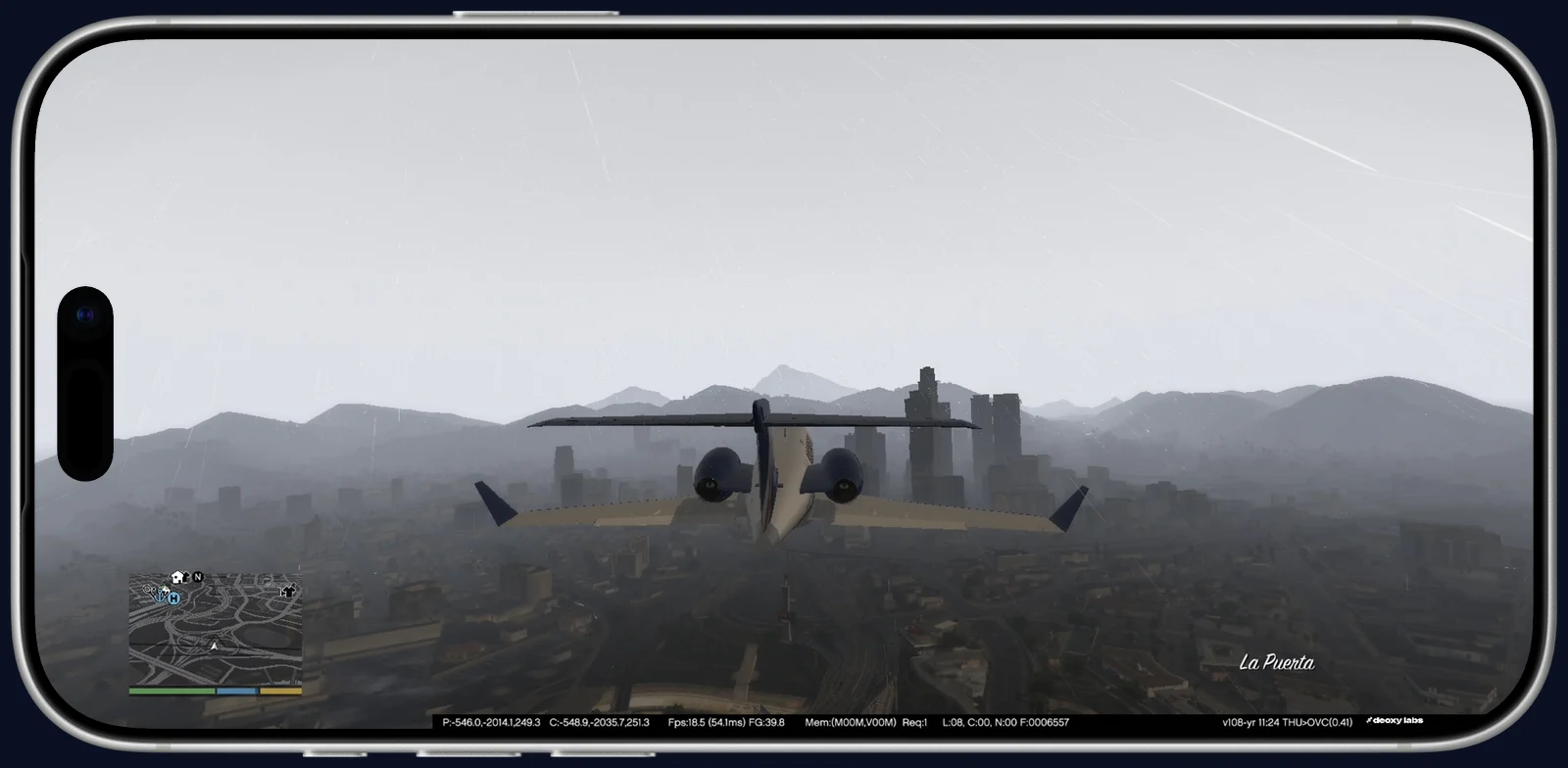
The same game on an iPhone 17 Pro Max, at or near 60 fps in the prologue, with touch controls made for it, a frame rate that steps down evenly when the phone gets warm, and a HUD that keeps clear of the Dynamic Island.
Performance
- MacBook Pro, M1 Pro
- About 85 fps at 2560 × 1440 with Quality upscaling, and 160 shown with frame generation
- iPhone 17 Pro Max
- At or near 60 fps in the prologue, rendering 1912 × 880
This is independent research. It is not affiliated with or endorsed by Rockstar Games or Take-Two Interactive. No game code or assets are distributed.
Rosetta
Our own control for the ProtoTRAK SMX knee mill.
In development
Overview
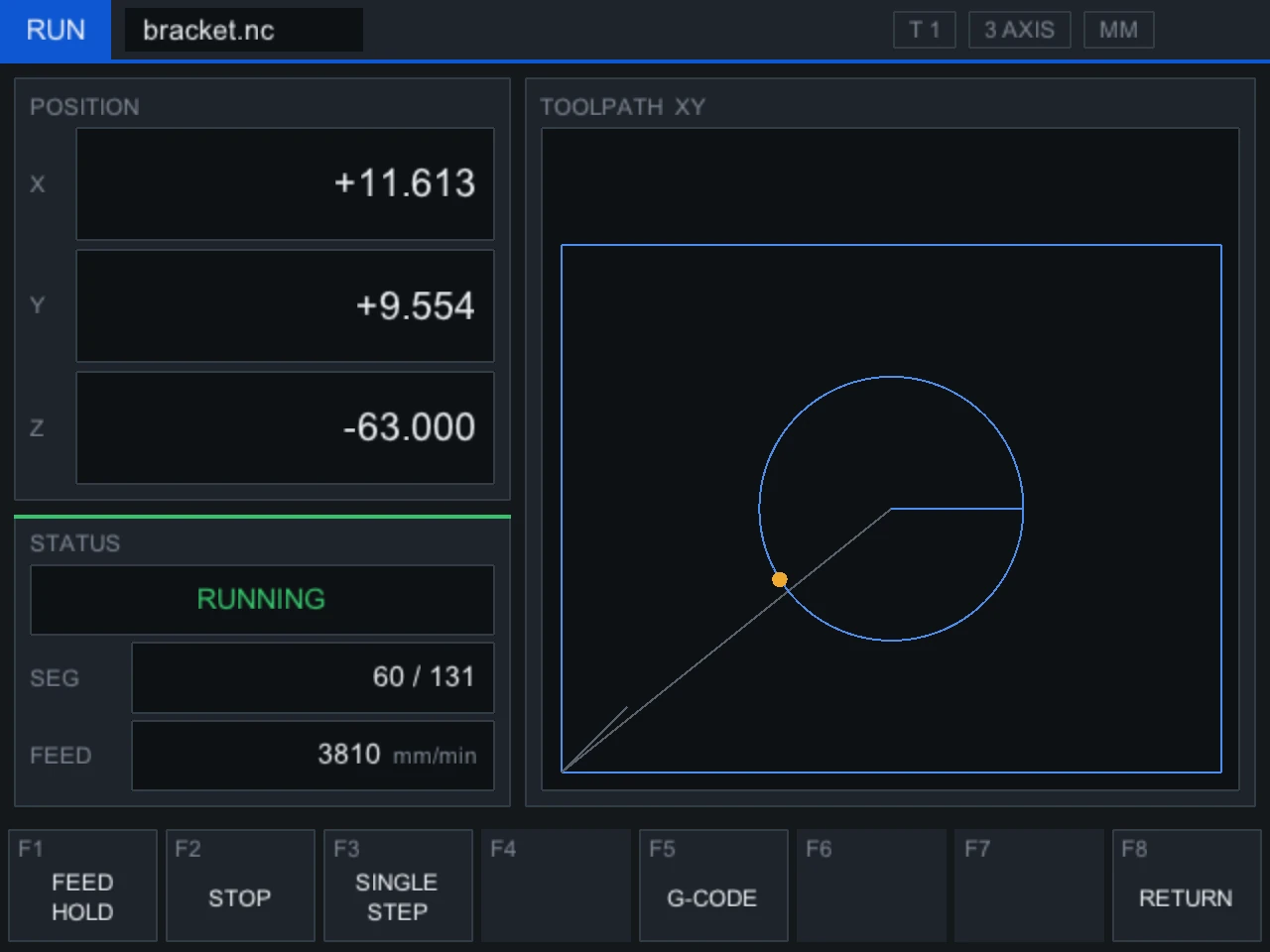
Rosetta is control software for the ProtoTRAK SMX knee mill, written from the ground up. It runs on the machine’s own control computer and speaks directly to its servo board, so the motors, drives and wiring stay exactly as they are. Only the software changes.
The name comes from the work behind it. Before Rosetta could move a single axis, we had to read the language the control and the servo board use to talk to each other, and write it down.
- Machine
- ProtoTRAK SMX knee mill
- Programs
- ProtoTRAK PT4 conversational programs and standard G-code
- Runs on
- The machine’s existing control computer, with no new hardware
- Probing
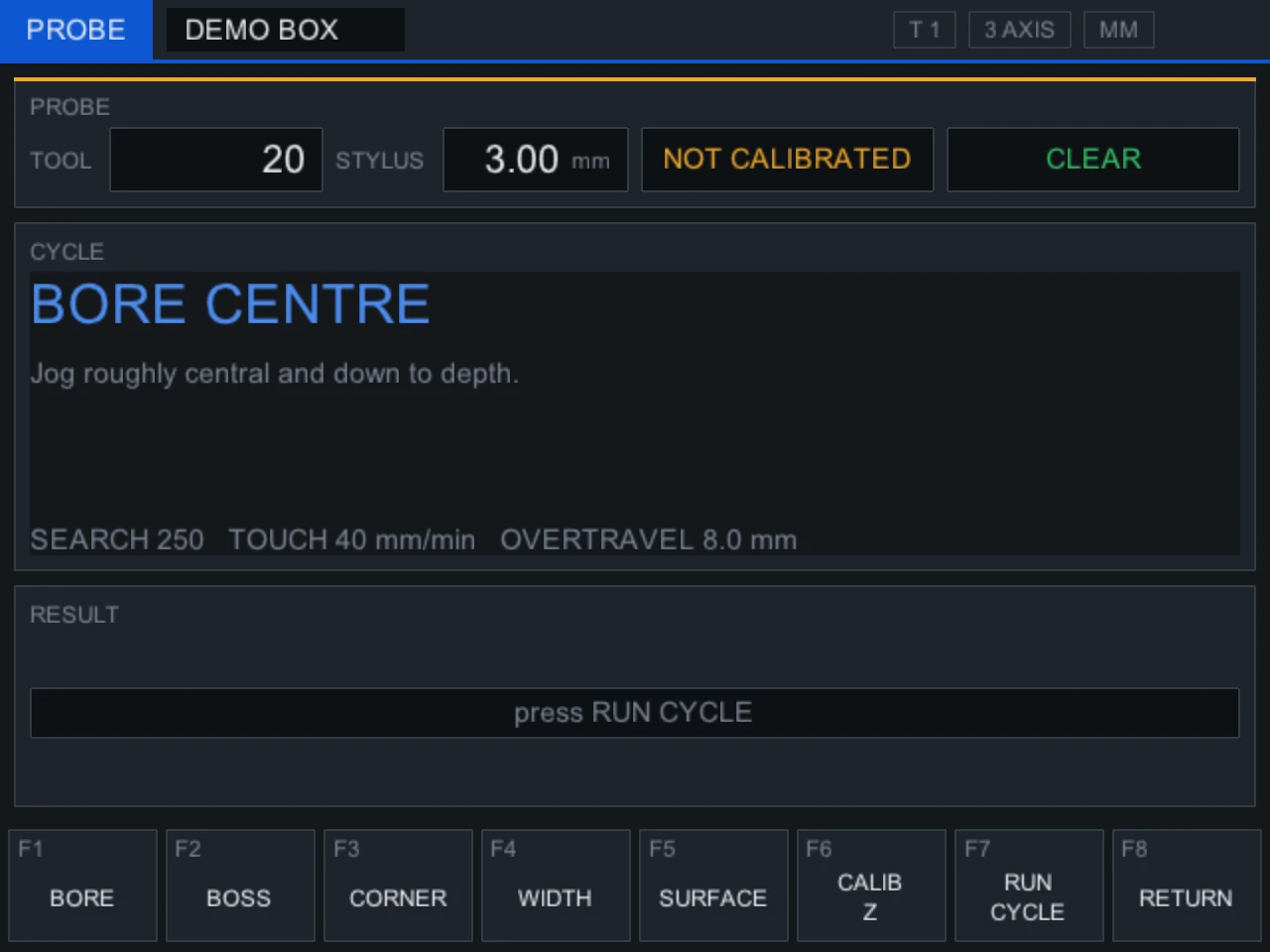
- Bore, boss, corner, width and surface cycles, for a wired touch probe
- Status
- Tested end to end against a model of the servo board. Bring-up on the machine is next.
On the control
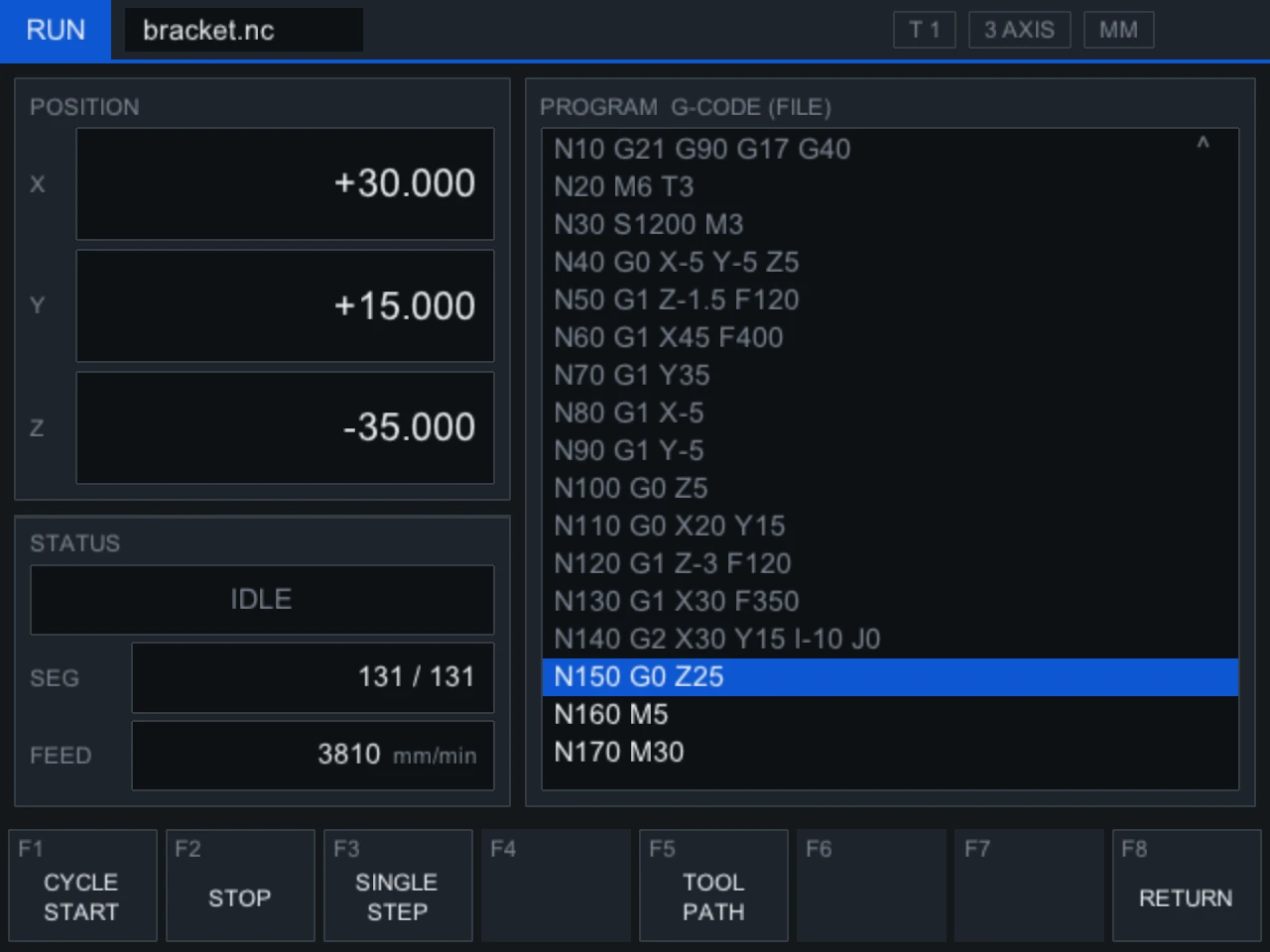
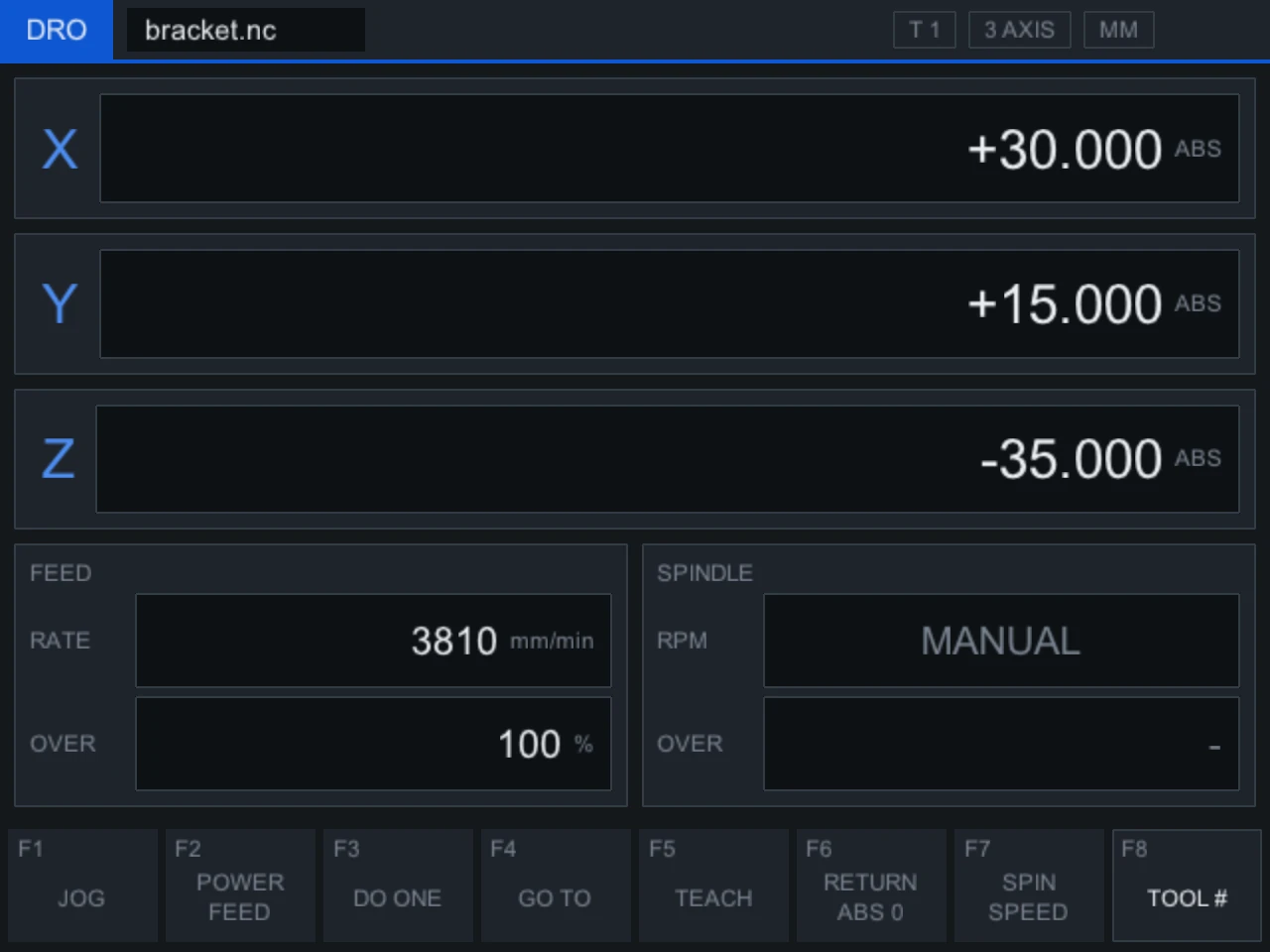
The layout keeps the machine’s eight function keys and the modes an operator already knows, then gives each screen more room: a large position readout, the program listing with the current line highlighted, and the tool path drawn as it cuts.
Safety first
- Every move is checked. Travel and feed limits are checked before a move is sent to the machine, and a move that breaks them is never sent.
- Faults stop the program. A servo fault, a lost connection or a stop latches, and the program halts at that move until the operator resets it.
- The original stays. The factory software remains installed as the fallback, and the two never run at the same time.
Rosetta is independent work. It is not affiliated with or endorsed by Southwestern Industries. ProtoTRAK is a trademark of Southwestern Industries, Inc. BMW and iDrive are trademarks of BMW AG.
Head Unit Emulator
A car’s infotainment system, running on a Mac.
Research
Overview
The NBT Evo is the head unit behind iDrive 6: the screen, navigation, media and vehicle settings in BMWs from 2016 on. Inside is a Texas Instruments OMAP5 processor running QNX, a real-time operating system built for cars.
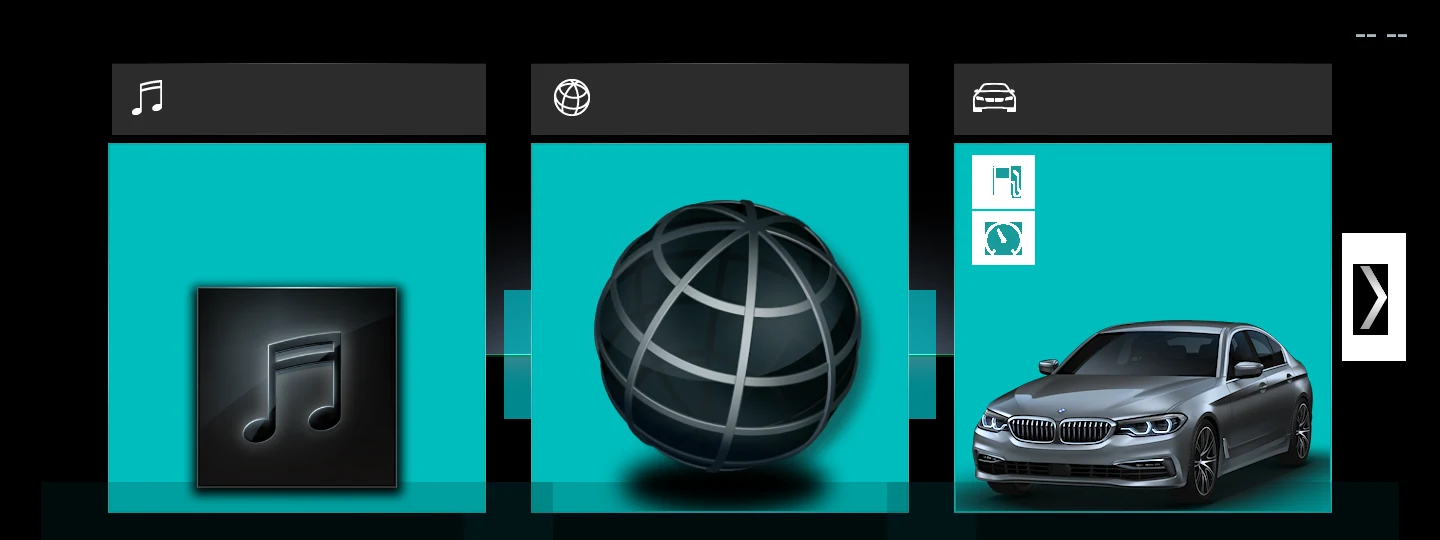
This emulator recreates that board in software. It boots the head unit’s own system from a copy of its storage, brings up its services and its display server, and draws the iDrive interface on a Mac. With the unit on a desk instead of in a dashboard, its software can be studied, tested and changed safely, which is what retrofit work needs.
- Unit
- BMW NBT Evo, iDrive 6
- Processor
- Texas Instruments OMAP5, ARM
- System
- QNX 6.5
- Emulator
- QEMU, with a board model written by Deoxy Labs
- Graphics
- 2D graphics emulated; 3D passed through to the Mac’s GPU
From first pixels to iDrive
- Boot. The emulated board starts the unit’s own bootloader and QNX, then its services, from a copy of the unit’s storage.
- Display. The display controller and the 2D graphics processor are modelled closely enough for the unit’s own display server to start and drive the screen. The first frame through that path was a test pattern.
- Interface. The iDrive interface draws in 3D. Its graphics calls are carried out of the emulator and drawn on the Mac’s own GPU, and the result is the real iDrive home screen.
Next
Touch and the iDrive controller, so the interface can be used rather than only shown, and the rest of the menus beyond the home screen.
This is independent research. It is not affiliated with or endorsed by BMW. No BMW software is distributed. BMW and iDrive are trademarks of BMW AG.
Libra
A new interface for a dynamic balancing machine, built by reverse engineering its software.
In development
Overview
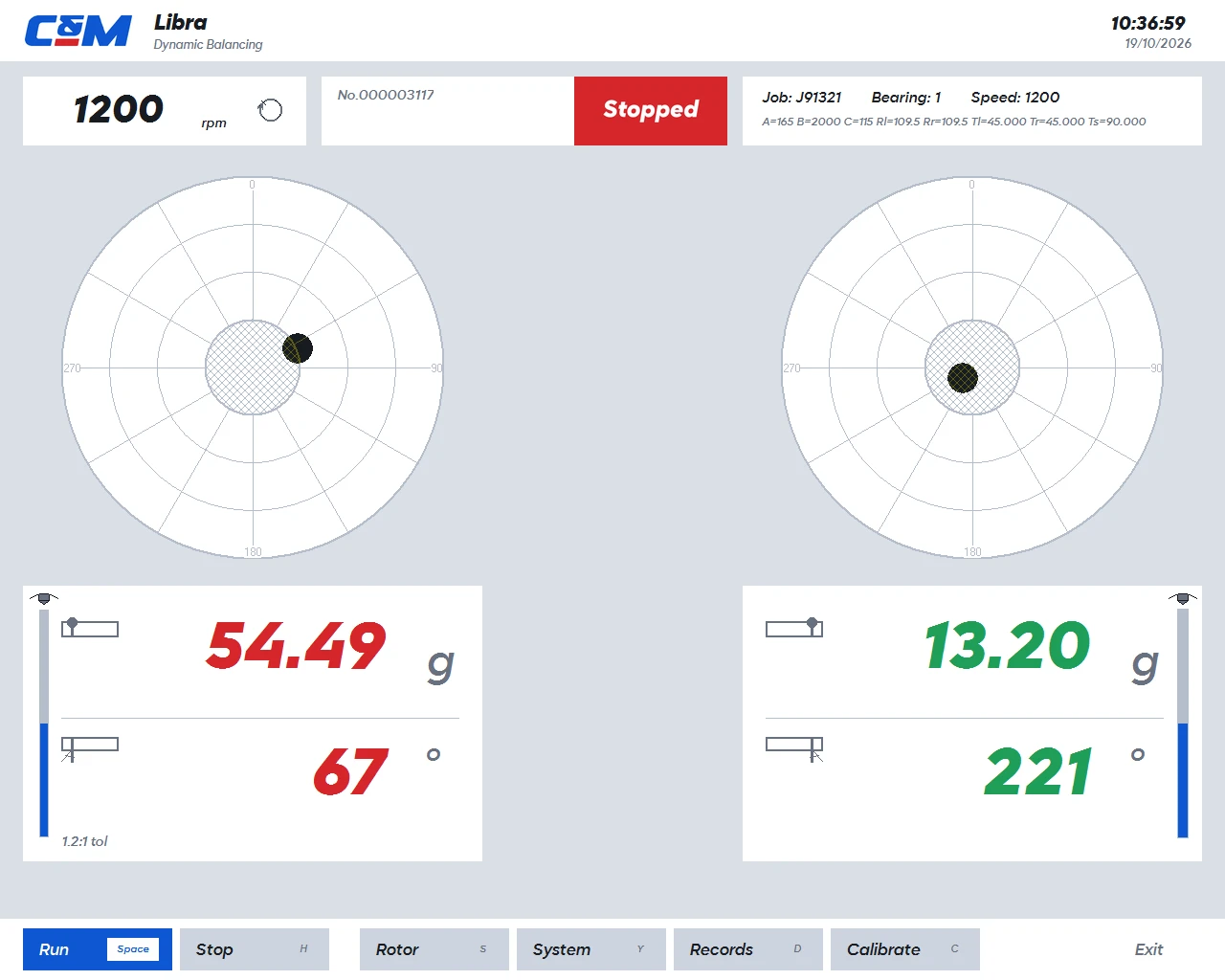
A two-plane dynamic balancing machine spins a rotor and reports how much mass to add, and where, to make it run true. The software that came with this one had no documentation and no source. Libra replaces its interface while keeping its measurements, its calibration and its years of job records exactly as they are.
That meant reverse engineering the original software first: how it talks to the machine’s measuring hardware, how it turns those signals into a correction, and how it stores every result. The figures Libra shows were checked against the machine’s own past results before anything changed on the floor.
- Original
- Undocumented Windows software, no source available
- Worked out
- Its link to the measuring hardware, its calculations, calibration and record format
- Verified
- Against the machine’s own historical results
- Fallback
- The original stays installed and shares the same records
Before and after
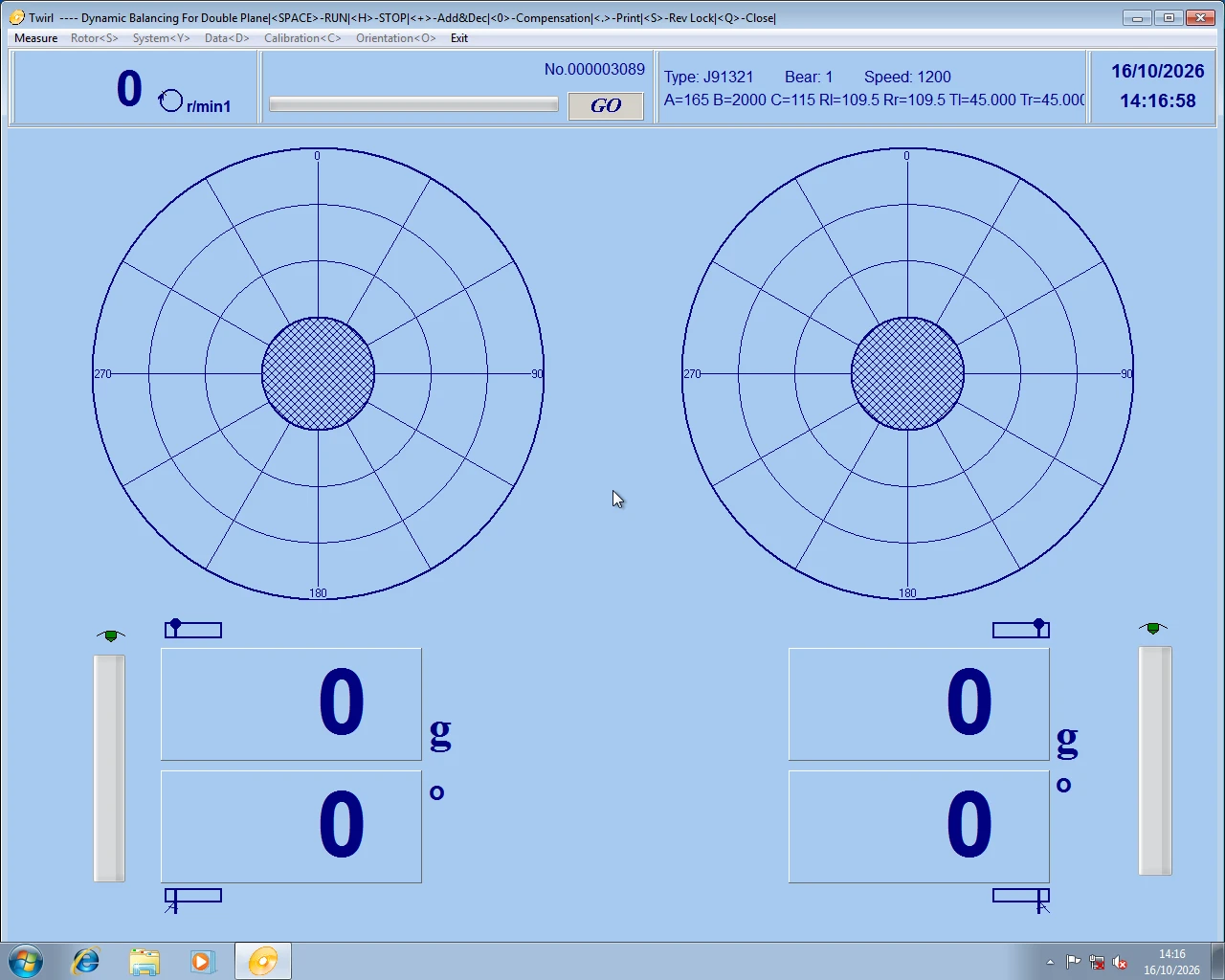
The same machine and the same job. The readings come from the same measurement; what changes is how readable they are from the rotor, and that every action now sits on one labelled key.
How it was done
- Listen. The traffic between the software and the measuring hardware was recorded and decoded, until every message could be read.
- Reproduce. The software’s calculations and calibration were rebuilt from what it does, then checked against the machine’s past jobs.
- Replace the surface. The new interface sits on top of the same measurement and the same records, so nothing the workshop already had is lost.
Peripherals
Reverse engineering a keyboard and mouse to drive them natively from the Mac.
Available on GitHub

Overview
Peripherals is a menu bar app that controls a Razer keyboard and mouse on the Mac: their lighting, the small display built into the keyboard, and battery levels, with no manufacturer software installed.
None of this is documented. The protocols were worked out from the devices, their firmware and the official software, then written down in full, and the app is built on that record. Its tests hold it to the exact bytes the hardware was seen to accept.
- Devices
- A Razer keyboard with a built-in display, and a Razer mouse
- Worked out
- Lighting, display and battery protocols, from the devices, their firmware and the official software
- Built with
- Swift, on device protocol documentation written by Deoxy Labs
Reading the display
To learn how the keyboard’s display stores an image, known test patterns were sent to it and the panel was photographed. Comparing the two showed how pixels are packed and in what order; a pattern drawn twice, with the order swapped, settled it.



Now playing, on the keyboard

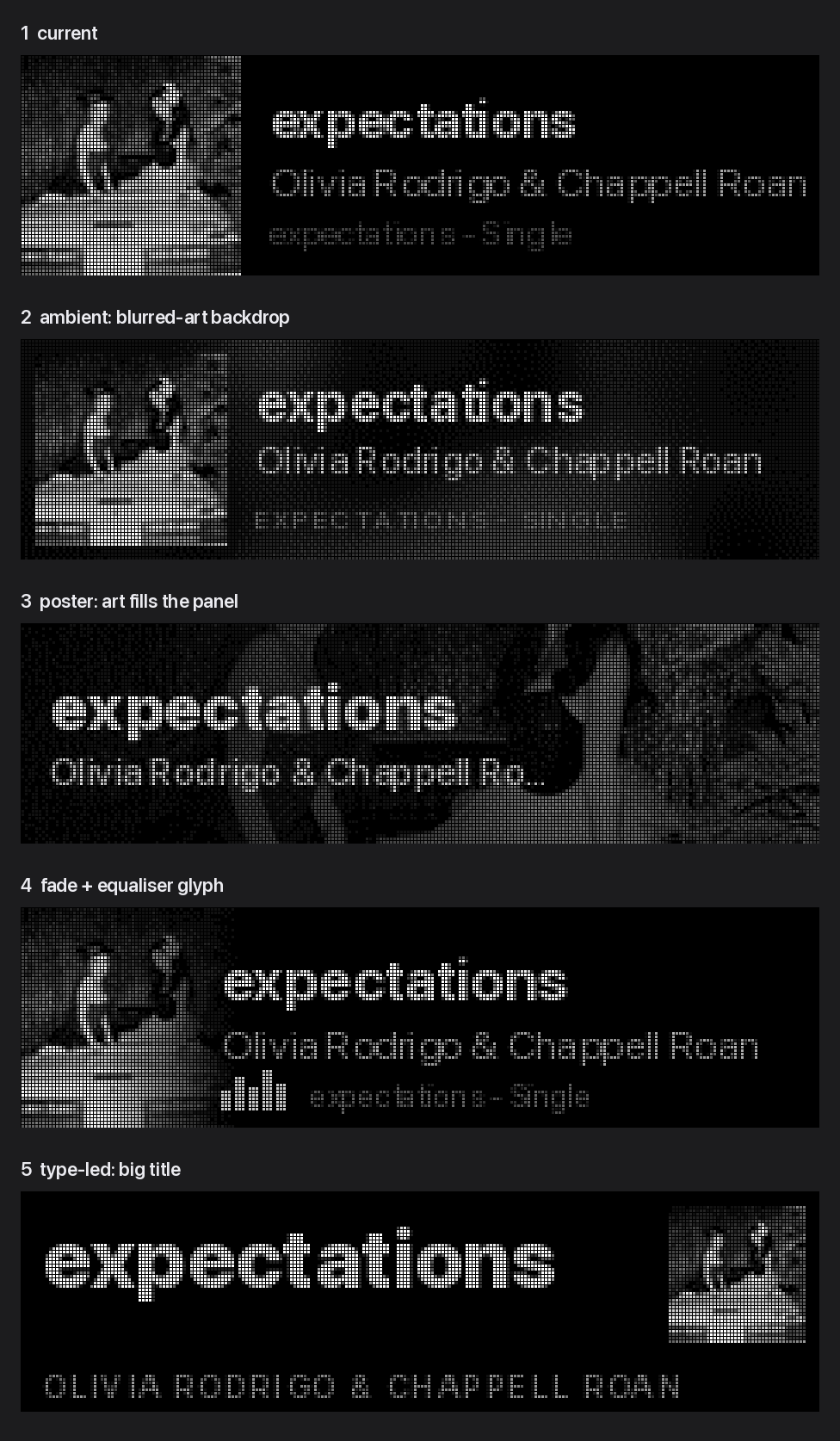
Once the display’s format was known, the app could draw its own screens. Whatever is playing in Music appears on the keyboard: album art, title, artist and album, rendered for a sixteen-level greyscale panel, with an equaliser that moves with the music.

What it does
- Lighting. A quiet default, and lighting that can follow what is playing.
- The keyboard’s display. Shows what is playing, then the time, and plays its own start-up animation.
- Batteries. Charge and charging state for each device, in the menu bar.
- Dark with the Mac. Keys, mouse and display all go dark when the Mac’s displays sleep.
Peripherals is independent work. It is not affiliated with or endorsed by Razer. Razer is a trademark of Razer Inc. Album artwork and song titles belong to their respective owners.