


01
The approach.
There is an easy way to run a Windows game on a Mac: run the Windows build under a translation layer, and let it convert Windows calls and x86 instructions as they happen. It works, but the game never becomes a Mac app, and every frame pays for the translation. On iPhone there is no such shortcut at all.
We took the long way. The engine and the game are compiled for ARM64, the instruction set of Apple silicon, as a native app for the Mac and for iPhone. To keep the rest of the code unchanged, both builds tell the game it is the Windows PC version. Everything the PC version asks of Windows is answered by native Apple code instead, and the Direct3D 11 renderer is left exactly as it is, translated to Metal underneath.
Five layers, top to bottom: the game and engine compiled for ARM64, our native Win32 layer, Direct3D 11, DXMT translating it to Metal, and Apple silicon, in a Mac or an iPhone.
Keeping the game’s own code was a rule, not a convenience. Where a Windows feature has no Apple equivalent, it reports itself unavailable, the way the PC version already handles a missing feature, instead of pretending to work.
02
Getting it to build.
The engine and the game are organised as Visual Studio 2015 projects, around 7.4 million lines of C++ between them, and nothing in them expects to be built anywhere but Windows. Before a single frame could be drawn, all of it had to compile with Clang, for a different processor, against a different operating system.
- Projects to CMake. A script reads every Visual Studio project and writes the CMake equivalent: the exact source list, include paths, forced includes and defines. That gives 19 projects and 4,802 source files, built with Clang and Ninja. Twenty-seven files that only make sense on Windows, like the developer UI widgets and router port mapping, are left out by name.
- A platform of its own. The engine decides what it is from one header of defines. Ours says it is the PC build, so every PC code path runs as shipped, and adds two flags for the few places that really are different.
- Compiler flags. A handful of flags make Clang behave like Microsoft’s compiler where the code depends on it.
- The long middle. Then file by file, until it all compiled. By the fifth full build, ten engine libraries came out as ARM64 and 128 files still didn’t compile. Each pass took the list down.
- Linked. The engine libraries and the game link into one ARM64 executable, packaged as a Mac app.
- Then for iPhone. The same tree configures for iOS as well. Only the Apple platform layer changes, swapping AppKit for UIKit; the game still believes it is the PC version, so nothing above that layer is touched.
// the mac build tells the engine it's the windows pc build.
// every PC code path runs as shipped and loads the PC resources.
#define __WIN32PC       1
#define RSG_WIN32       1
#define RSG_PC          1

// the few places that really are different check these
#define RSG_OSX         1
#define RSG_CPU_ARM64   1

// SSE code stays on. sse2neon turns it into NEON at compile time
#define RSG_CPU_INTEL   1
#define RSG_CPU_X64     1

// engine reads _M_X64 as "64 bit windows", not "this is an intel cpu"
#define _M_X64 100# every engine and game file gets these
set(GTA_COMMON_FLAGS
-fms-extensions -fdeclspec
-fshort-wchar # wchar_t is 2 bytes on windows. keep it 2 bytes
-fno-builtin-wcslen # (and the other wcs*/wmem* builtins) or clang swaps our
# 16 bit string loops for libc's 32 bit ones
-fno-strict-aliasing
-fno-delete-null-pointer-checks # msvc keeps `if (p)` after `Fn(*p)`. clang deletes it.
# this code relies on it, so it stays
)Most of the fixes fall into a few kinds:
- SizesOn Windows a
longis 32 bits; on the Mac it is 64. Windows types likeDWORDandLONGkeep their 32 bits, and the engine’s 64-bit integers are defined so they matchsize_t, as they do on Windows. - The C runtimeWindows’ extras, like its “secure” string functions, case conversion and
_snscanf, are provided in one compatibility header. - The compilerCode Microsoft’s compiler accepts and Clang doesn’t: template lookups, declarations, pointer comparisons. Each is fixed at the source, with the behaviour unchanged.
- Intel-only codeSSE intrinsics map onto NEON through sse2neon. The few genuinely x86-only spots, like
cpuid, the timestamp counter and inline assembly, get an ARM path. - Memory layoutsThe PC resources load straight into memory as laid out on disk, so every structure must match Microsoft’s layout byte for byte, including padding at the end of a base class that the Mac’s rules would reuse. Where the two differ, the layout is pinned and checked at compile time.
- ShadersThe game’s shaders ship precompiled for Direct3D. DXMT translates them to Metal as they load, so no shader compiler is needed at all. An early test fed it 53 vertex shaders, 59 pixel shaders and 53 input layouts straight from the game’s files.
03
Windows, without Windows.
The PC version calls into Windows for files, threads, timers, sockets, locales, message boxes and more. We wrote the part of the Windows API the game actually uses as native code for macOS and iOS, about 5,800 lines of it, each piece covered by tests.
- Files and foldersWindows paths map onto the Mac file system, and the game’s Documents and AppData folders live in Application Support, kept apart from any Windows install. On iPhone the game’s data lives in the app’s own container, out of iCloud backups.
- Threads and timersWindows threads, events, semaphores and mutexes become POSIX threads and condition variables, with Windows’ wait semantics, including waiting on several objects at once. Process and memory status come from Mach.
- InputKeyboard, mouse and game controllers reach the game through AppKit on the Mac and UIKit on iPhone, with Apple’s Game Controller framework on both, in place of Windows’ own input APIs.
- DialogsThe engine’s Windows message boxes are native alerts, with the same buttons, defaults and timeouts.
- CrashesNative crash handlers run on their own signal stacks and print the frames needed to find the cause, without running any game code inside the signal.
// QueryPerformanceCounter is just nanoseconds now
static uint64_t NowNs() { return clock_gettime_nsec_np(CLOCK_UPTIME_RAW); }

extern "C" BOOL WINAPI QueryPerformanceCounter(LARGE_INTEGER* c)
    { c->QuadPart = (LONGLONG)NowNs(); return TRUE; }
extern "C" BOOL WINAPI QueryPerformanceFrequency(LARGE_INTEGER* f)
    { f->QuadPart = 1000000000ll; return TRUE; }
extern "C" DWORD WINAPI GetTickCount(void) { return (DWORD)(NowNs() / 1000000ull); }

// windows: other threads die first, static destructors never run.
// exit() would run them while game threads are still in the heaps. crashed on quit
extern "C" void WINAPI ExitProcess(UINT code) { fflush(NULL); _exit((int)code); }

extern "C" void WINAPI GetSystemInfo(LPSYSTEM_INFO si)
{
    memset(si, 0, sizeof(*si));
    si->wProcessorArchitecture = PROCESSOR_ARCHITECTURE_AMD64; // engine only knows x64 and x86
    si->dwPageSize = (DWORD)kPage;
    int n = (int)sysconf(_SC_NPROCESSORS_ONLN);
    si->dwNumberOfProcessors = (DWORD)n;
    // ...
}
04
Bugs Windows never showed.
Code that has run for years on Windows can still be wrong. It just never had to run anywhere else. A different processor and a different compiler found problems that had always been there, and an iPhone found a few more.
- A deadlock in a bitfieldThe render thread’s draw lists track two counters packed into one word. Updating one rewrote the whole word, which on Apple silicon could undo a change to the other made a moment earlier by another core. Draw lists then waited forever. Intel’s stronger memory ordering had hidden it, as it had in the job scheduler and a lock-free ring.
- A 32-bit counter written as 64 bitsAn atomic increment on a 32-bit value through a
longpointer wrote past it on the Mac. Those calls now use the right width, and the compatibility header refuses to compile the ambiguous form. - A disappearing null checkIn places the engine passes a reference to a missing object and checks for null on the other side. Microsoft’s compiler keeps that check; Clang is allowed to delete it, and did. Getting into a car crashed.
- A heap shared by accidentMetal, MetalFX and the translation layer allocate through the same global allocator as the game, and filled the game’s fixed heap. Allocations that aren’t the game’s now go to the system allocator.
- QuittingWindows ends a process without running static destructors. The Mac’s ordinary exit runs them while other threads are still alive, and crashed.
- A new player’s first hourA long user folder overflowed a fixed-size path. Saving without the online services read a heap that was never created, so every save crashed. Both are fixed.
- Storage an iPhone doesn’t haveMetal on the Mac offers a managed storage mode that iPhones don’t. A Mac running the iPhone build accepted it; the first real iPhone stopped on it. On Apple GPUs it is the same memory as shared storage, so it maps to that.
- Letter caseThe game lowercases some full paths, which only worked because the Mac’s disk ignores case. The iPhone’s doesn’t, so files are opened by the name as given.
#define MemoryBarrier()     __atomic_thread_fence(__ATOMIC_SEQ_CST)
#define _WriteBarrier()     __atomic_signal_fence(__ATOMIC_SEQ_CST)
#define YieldProcessor()    __yield()

// deliberately no `long` overloads of the _Interlocked* builtins.
// windows code passes long* for 32 bit values and long is 64 bits here,
// so anything that hits this gets ported to a sized __atomic call instead
05
The first frame.
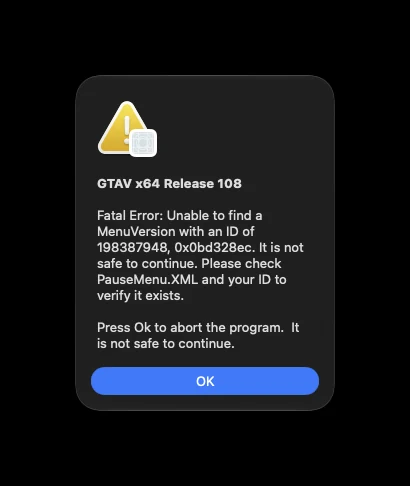
A linked executable is not a running game. The first launch got as far as a fatal error, shown as a native Mac alert: the game’s menu data was older than its code. Menus, settings and memory pool sizes were brought up to what the code expects, and the next launches walked forward one screen at a time.
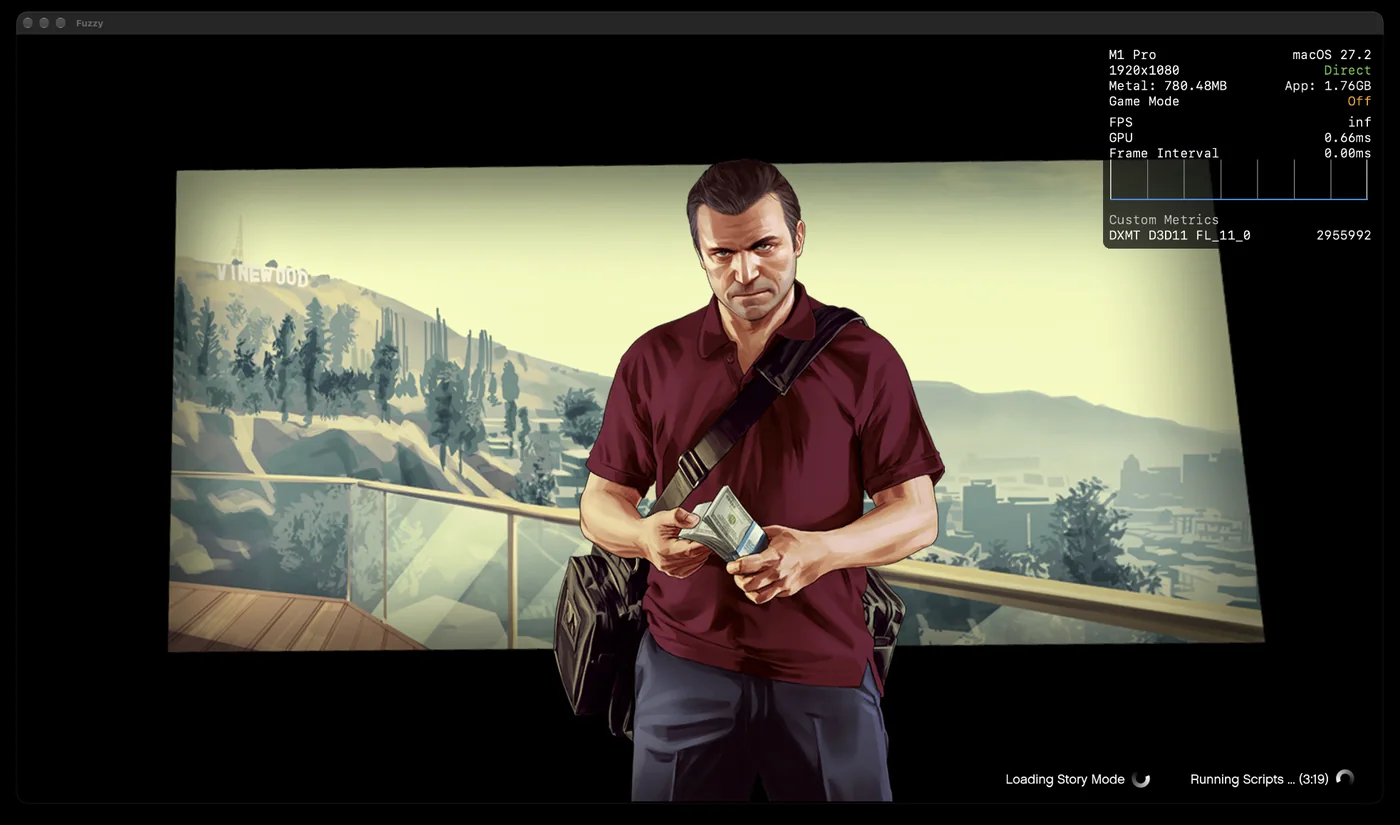
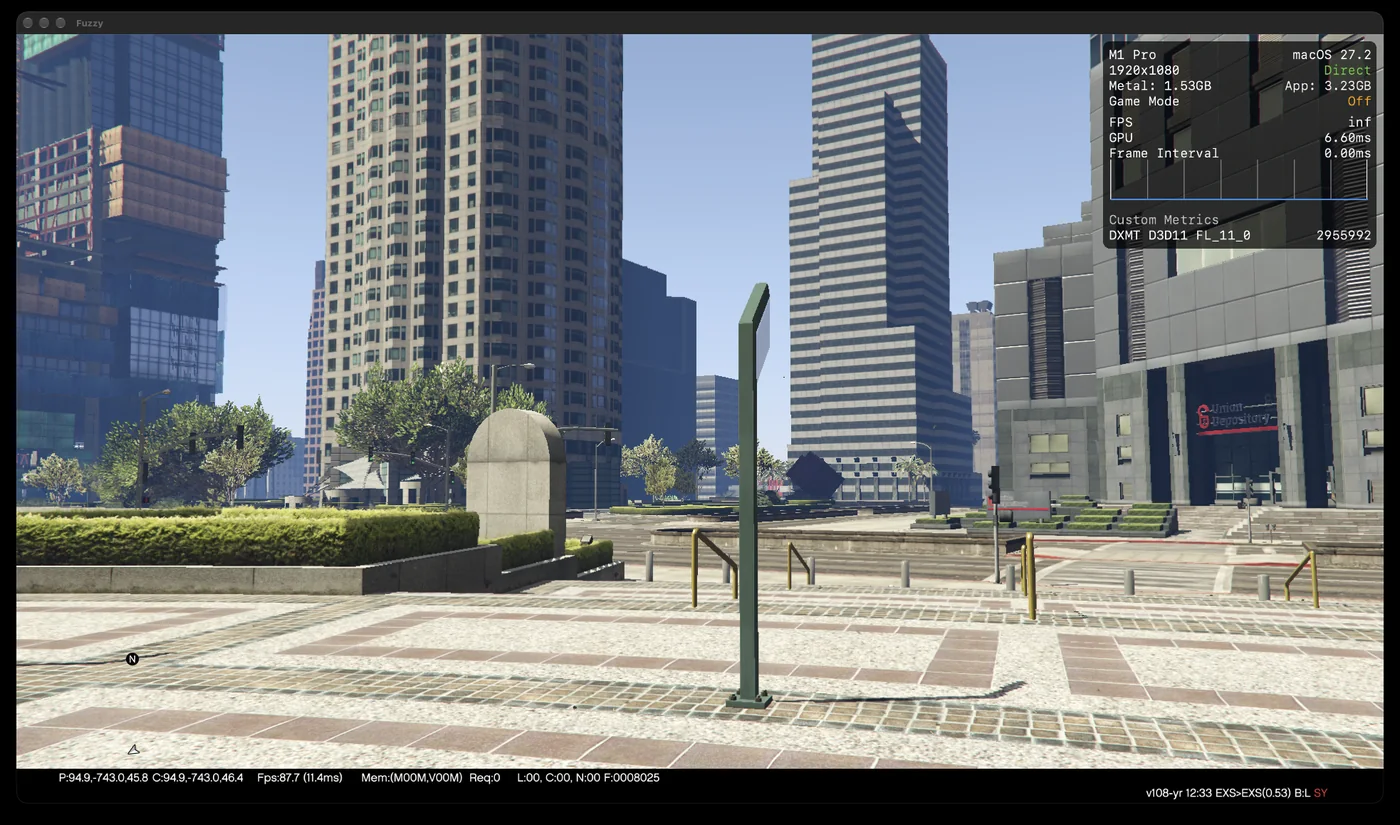
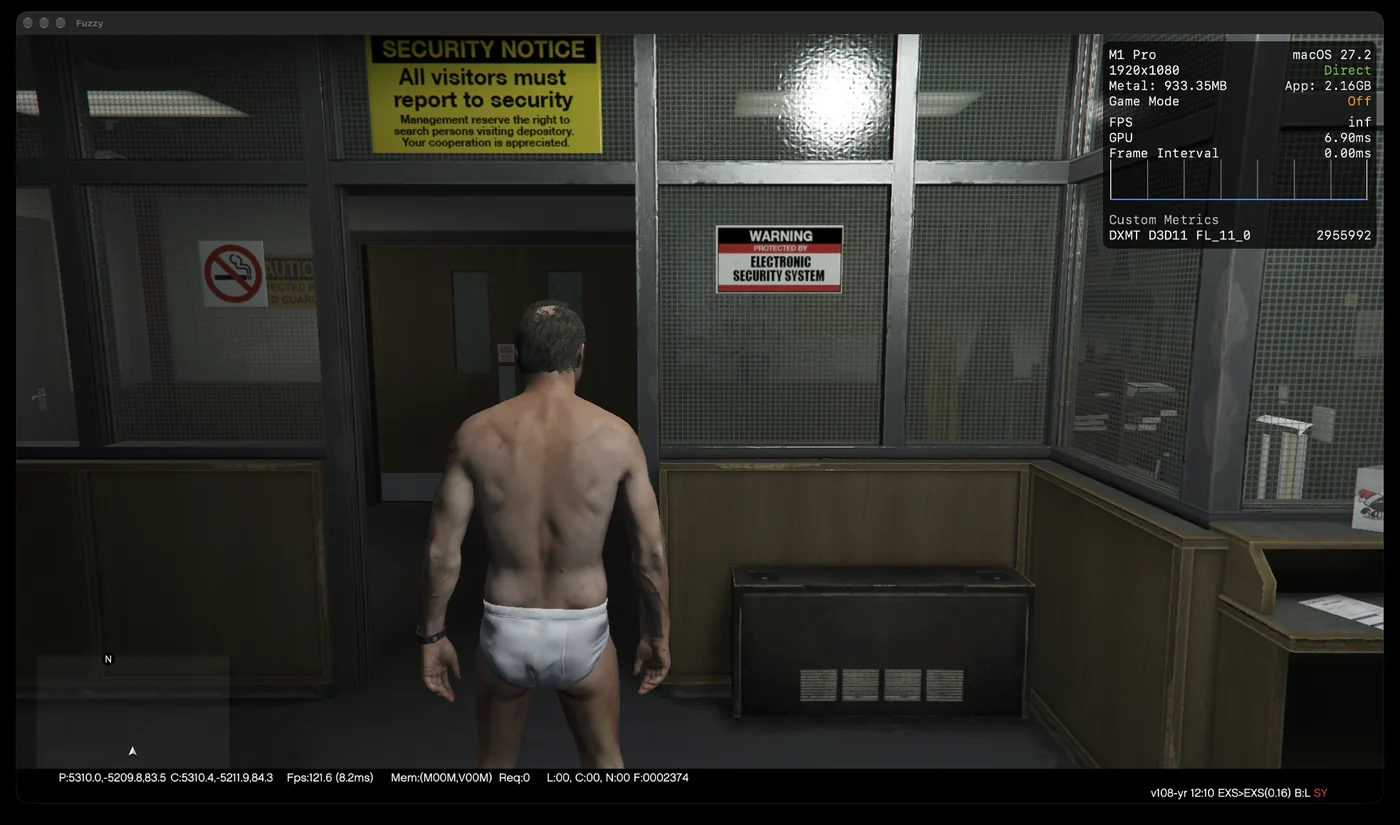
The iPhone build took the same walk in a single day: first as the iPhone app running on a Mac, then on an iPhone 17 Pro Max.
06
Direct3D on Metal.
The renderer still speaks Direct3D 11. DXMT, an open-source Direct3D 11 to Metal layer, translates it, normally inside Wine. We build it natively for macOS and iOS instead, with sixteen changes of our own kept as patches.
- Direct fullscreenmacOS composites a window, adding a copy and a frame of delay, if it has a shadow, isn’t opaque, or sits below the menu bar. Fullscreen here is a borderless, opaque window above the menu bar with no shadow, so frames go straight to the display. macOS’s own full-screen mode always composites.
- GPU timers offThe engine timed its own passes with about forty GPU timestamps a frame, and the translation layer can’t merge passes across them. Running without them, as the shipping PC version does, took one test scene from 72 to 81 fps.
- Black shadowsAnything lit only by ambient light rendered black. The engine picked its ambient occlusion passes by position, and the shaders on disk didn’t have the passes it expected, so it ran the wrong ones and zeroed the ambient light. Passes are now found by name.
- The radarThe minimap’s round mask is drawn by a blit that writes no alpha under Metal. On the Mac it is a scissor mask instead.
// engine files can't include AppKit (windows.h and objc both define BOOL),
// so this talks to the objc runtime directly

// borderless, over the whole panel, menu bar and dock hidden.
// anything that gets us composited costs a copy and a frame of lag
Send<void>(s.app, "setPresentationOptions:", (1UL << 1) | (1UL << 3)); // hide dock, hide menu bar
Send<void>(s.window, "setStyleMask:", 0UL);
Send<void>(s.window, "setHasShadow:", false);  // a shadow on its own is enough to get composited
Send<void>(s.window, "setFrame:display:", Send<Rect>(screen, "frame"), true);
Send<void>(s.window, "setLevel:", kDirectWindowLevel);  // 25: above the menu bar's window
07
Upscaling and frame generation.
At 2560 × 1440 the game runs at about 63 fps on an M1 Pro. The cost is in the pixels, so drawing fewer of them and scaling up is the biggest win: at 1920 × 1080 scaled to 1440p it runs at about 85.
Upscaling. Apple’s MetalFX spatial scaler sharpens hard, and showed grain in the sky and halos on edges. We wrote our own, a cubic filter whose sharpness runs from a soft Mitchell–Netravali filter to a crisper Catmull–Rom, at the same half a millisecond. MetalFX’s temporal scaler isn’t an option: it needs a motion vector for every object, and this engine only has the camera’s.
Frame generation. Apple’s frame interpolator took about 14 ms a frame at 1440p on an M1 Pro, longer than the frame itself. So we wrote our own, in Metal, inside the translation layer. It makes the frame halfway between two finished frames from the pictures alone:
- Small copies. Each frame is reduced to a pyramid of small greyscale images.
- Motion. Blocks are matched coarse to fine: one GPU threadgroup per block, one thread per candidate position, starting from the coarser level’s answer.
- Clean-up. A median filter removes stray vectors.
- The new frame. Each pixel blends the previous frame half a step back and the next frame half a step forward along its motion. Pixels that didn’t change, like the HUD, pass straight through.
float3 still = fabs(a0.rgb - b0.rgb);
// didn't change (HUD, camera sitting still)? straight through
if (max(still.r, max(still.g, still.b)) < p.stillThreshold) { out.write(b0, gid); return; }

float2 m = field.sample(fieldSampler, uv).rg * p.fieldScale;
// half a step back into the last frame, half a step forward into this one
float4 a = prev.sample(lin, pos + m * 0.5);
float4 b = curr.sample(lin, pos - m * 0.5);

float3 blend = (a0.rgb + b0.rgb) * 0.5;
float disagree = length(a.rgb - b.rgb);
float4 mixed = (a + b) * 0.5;
// the two sides disagree, so the vector's wrong. take whichever is nearer a plain blend
if (disagree > 0.25) mixed = length(a.rgb - blend) < length(b.rgb - blend) ? a : b;
out.write(float4(mixed.rgb, 1), gid);
The whole thing takes about a millisecond. Showing the extra frames took longer to get right. Two frames per game frame from a pool of three locked everything at exactly 60 fps, so generated frames have their own present thread, a three-slot ring and shared events. And because Metal rounds a requested display time up to the next refresh, the pacing has to round down.
double refresh = 1.0 / frame_generation_refresh_rate_;
// presentDrawable:afterMinimumDuration: rounds UP to whole vsyncs.
// round down here or it slides to half rate and stays there
double hold = std::max(1.0, std::floor(frame_interval_ / (2 * refresh) + 0.25));
pacing.generated_after = refresh * 0.75;
pacing.real_after = refresh * (hold - 0.25);08
Sound.
The engine mixes its own audio in software, so none of Windows’ audio stack was needed. The mixer feeds Core Audio through a small queue, so the real-time audio thread never waits on the game. If the output device changes as the game starts, say a monitor is unplugged, it carries on silently and reconnects. On iPhone it plays through Remote I/O, steps aside for calls, Siri and alarms, and picks up again when the game comes back.
All of the game’s sound plays: speech, weapons, footsteps, vehicles and music.
09
On iPhone.
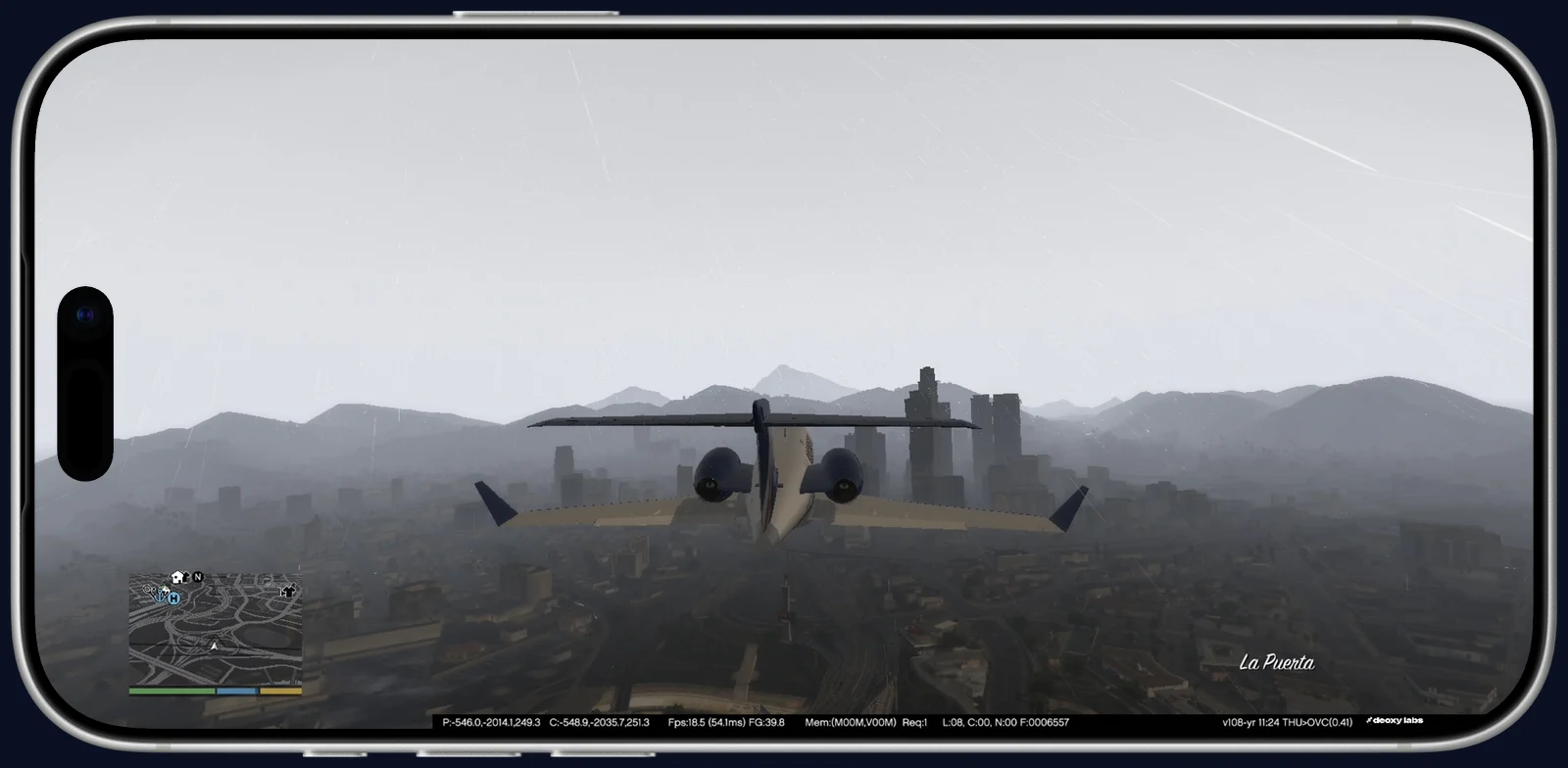
The iPhone build is the same game, the same engine and the same Metal translation as the Mac’s. What changes is everything a phone asks of an app: less memory, a battery, heat, a screen with a camera in it, and no keyboard.
- MemoryiOS holds an app to about 3.4 GB unless it asks for more, and Los Santos needs more than that. The app carries Apple’s increased memory limit, and the game sizes its streaming for a phone: it is told it has 1.5 GB of video memory rather than most of the iPhone’s.
- Heat and batteryWhen the iPhone reports serious thermal pressure, the game holds an even 30 fps instead of letting the system throttle it into an uneven rate, and goes back up once it cools. Low Power Mode holds 30 too.
- Touch controlsA layout made for GTA, in Liquid Glass: a stick that appears where the left thumb lands, drag to look, and buttons that relabel themselves for walking, driving and menus. Rumble plays on the Taptic Engine.
- The screenThe HUD, menus and loading screens keep clear of the Dynamic Island, the rounded corners and the home indicator, using the insets iOS reports.
- ResolutionThe game renders at 1912 × 880 on the 17 Pro Max’s 2868 × 1320 display by default, and the pause menu’s upscaling setting changes the render size live.
- InterruptionsA call, Siri or a swipe home opens the pause menu, the way losing focus does on PC. Translated shaders ship with the app, so the first trip across the map doesn’t stall while each one converts.
// iphones have no managed storage. a mac running the ios build doesn't care,
// a real phone asserts. it's the same memory on apple gpus anyway
static inline MTLResourceOptions metal_resource_options(uint64_t options) {
#if !TARGET_OS_OSX
    if ((options & 0xf0) == 0x10)    // managed
        options &= ~(uint64_t)0xf0;  // -> shared
#endif
    return (MTLResourceOptions)options;
}
10
What it can’t do.
- Two graphics settingsMSAA and Ultra post effects crash the Metal renderer, so the presets leave them off.
- OnlineThe port runs offline only.
- The game’s dataOn iPhone the game’s own data, about 56 GB, has to be copied in through Files or Finder.
This is independent research. It is not affiliated with or endorsed by Rockstar Games or Take-Two Interactive. No game code or assets are distributed. Grand Theft Auto is a trademark of Take-Two Interactive Software, Inc. DXMT is open source under the LGPL.